

If a staff member leaves or no longer requires access, you should archive them rather than deleting them immediately. This preserves their historical data.
- Locate the User
Navigate to User Management > User List. Find the specific user you wish to remove in the list.
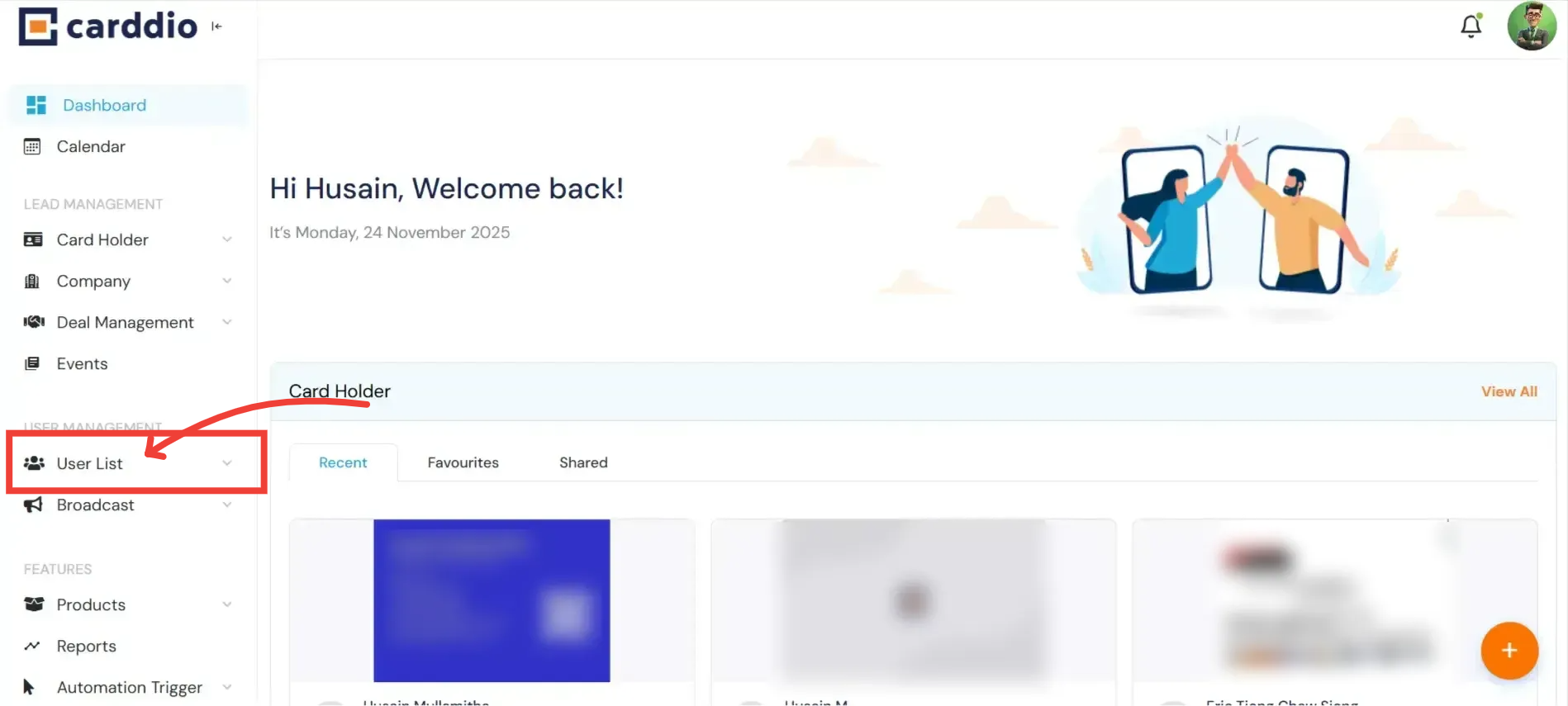
- Click the Archive Icon
On the right side of the user’s row, under the “Actions” column, you will see a Trash Can / Archive Icon. Click this icon.
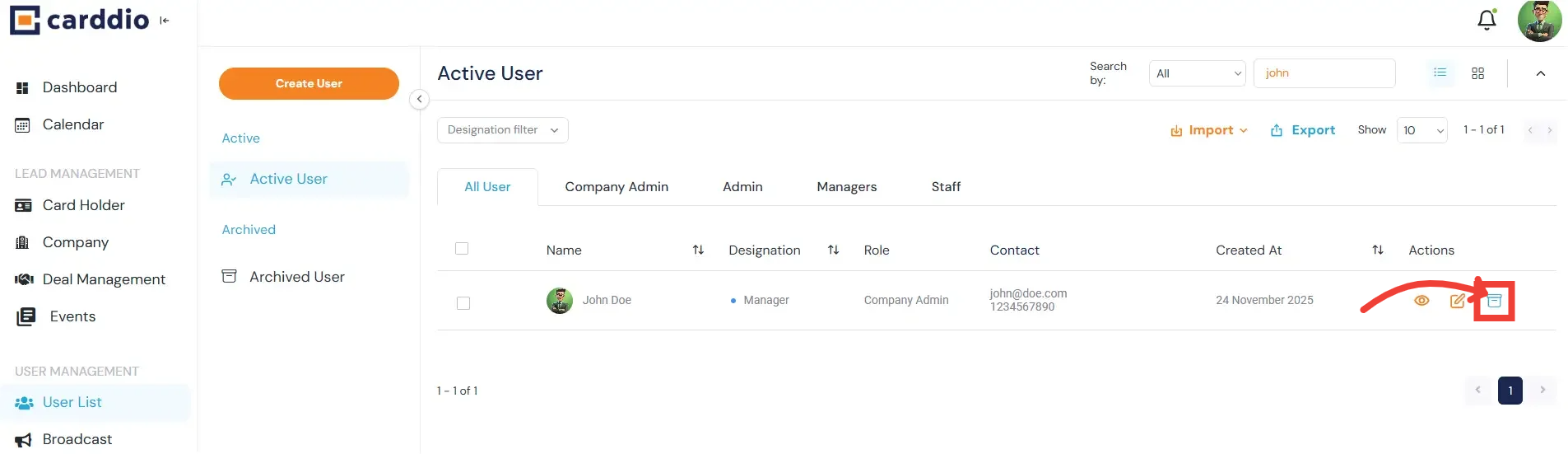
Confirmation: The user will immediately be moved from the “Active User” list to the “Archived User” list. They will no longer be able to log in.


