

You can manage deactivated accounts from the Archive section.
-
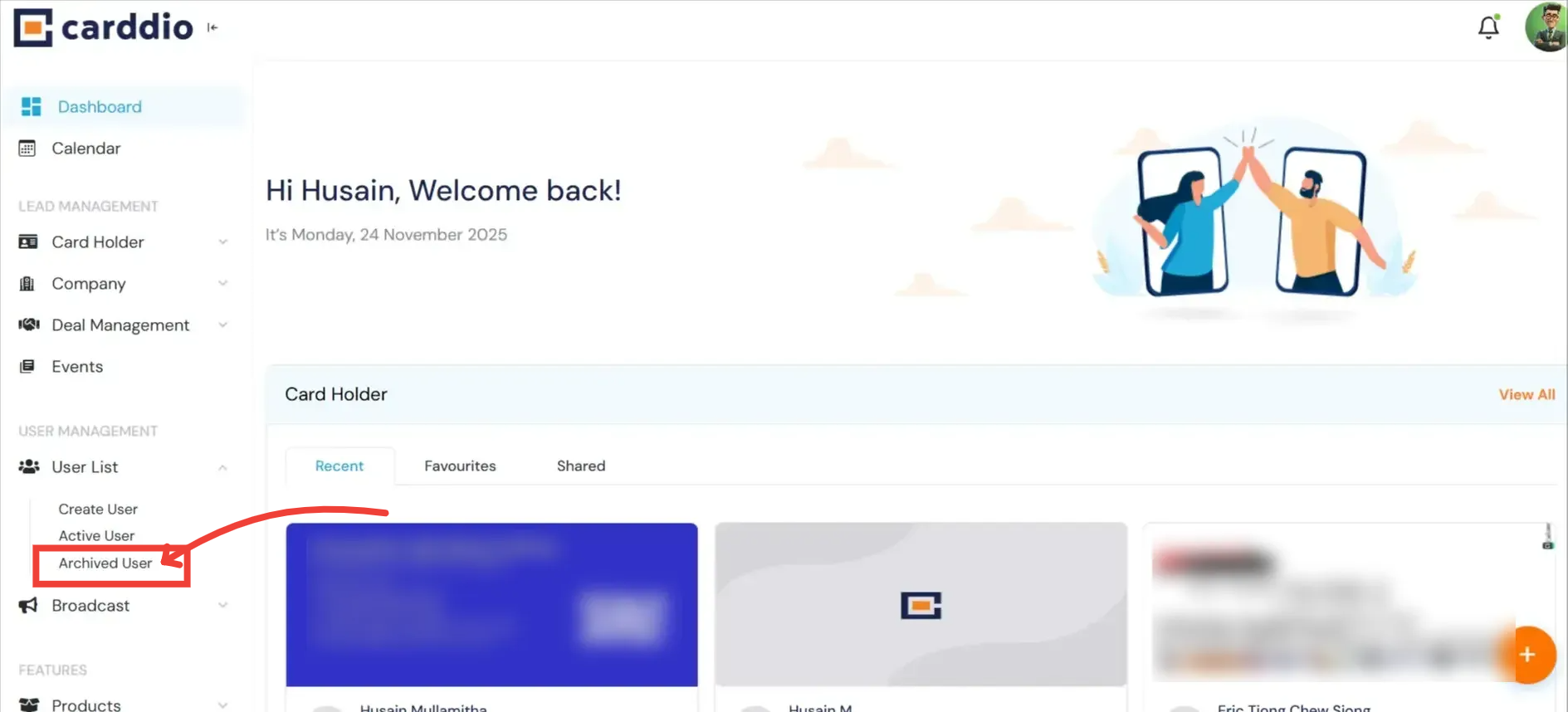
Access Archived Users
On the left sidebar, under User Management, click on Archived User.
-
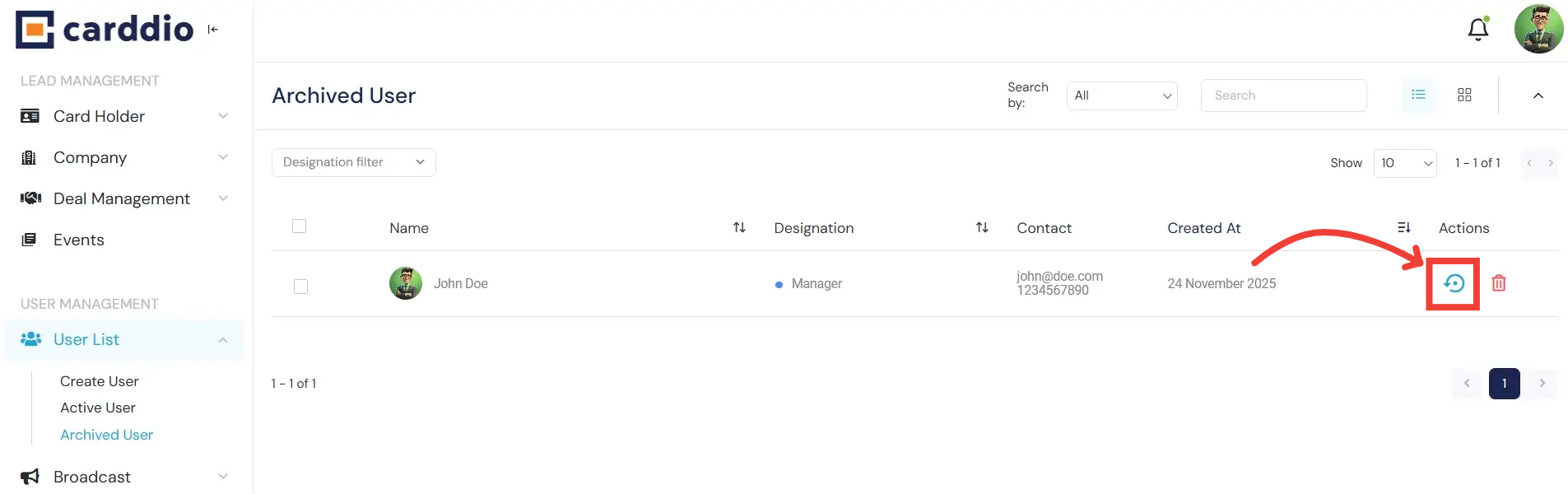
To Restore a User
If you need to reactivate a user, find them in the list and click the Restore Icon (Circular Arrow). This will move them back to the Active User list immediately.
-
To Permanently Delete
If you want to permanently remove a user and their data, click the Delete Icon (Trash Can) inside the Archived User list.
Warning: This action cannot be undone.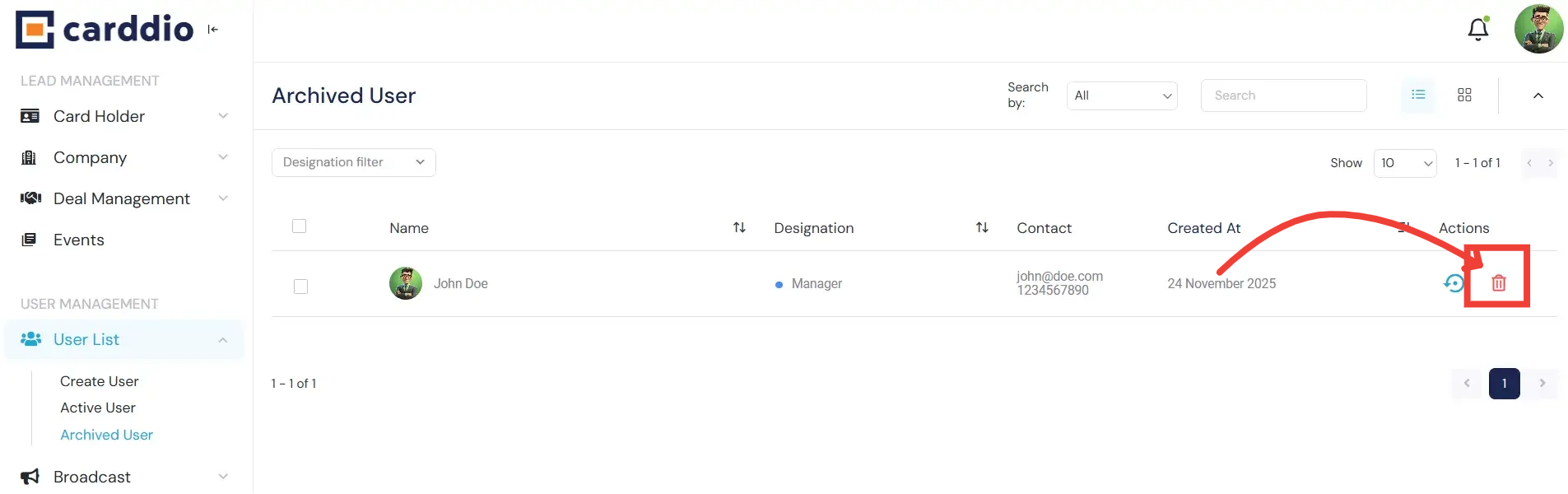
Success! The user status has been successfully updated.


