


WhatsApp Triggers allow you to automate sending WhatsApp notifications based on actions performed in the system, such as when a new card is created. Follow the steps below to create a WhatsApp trigger.
-
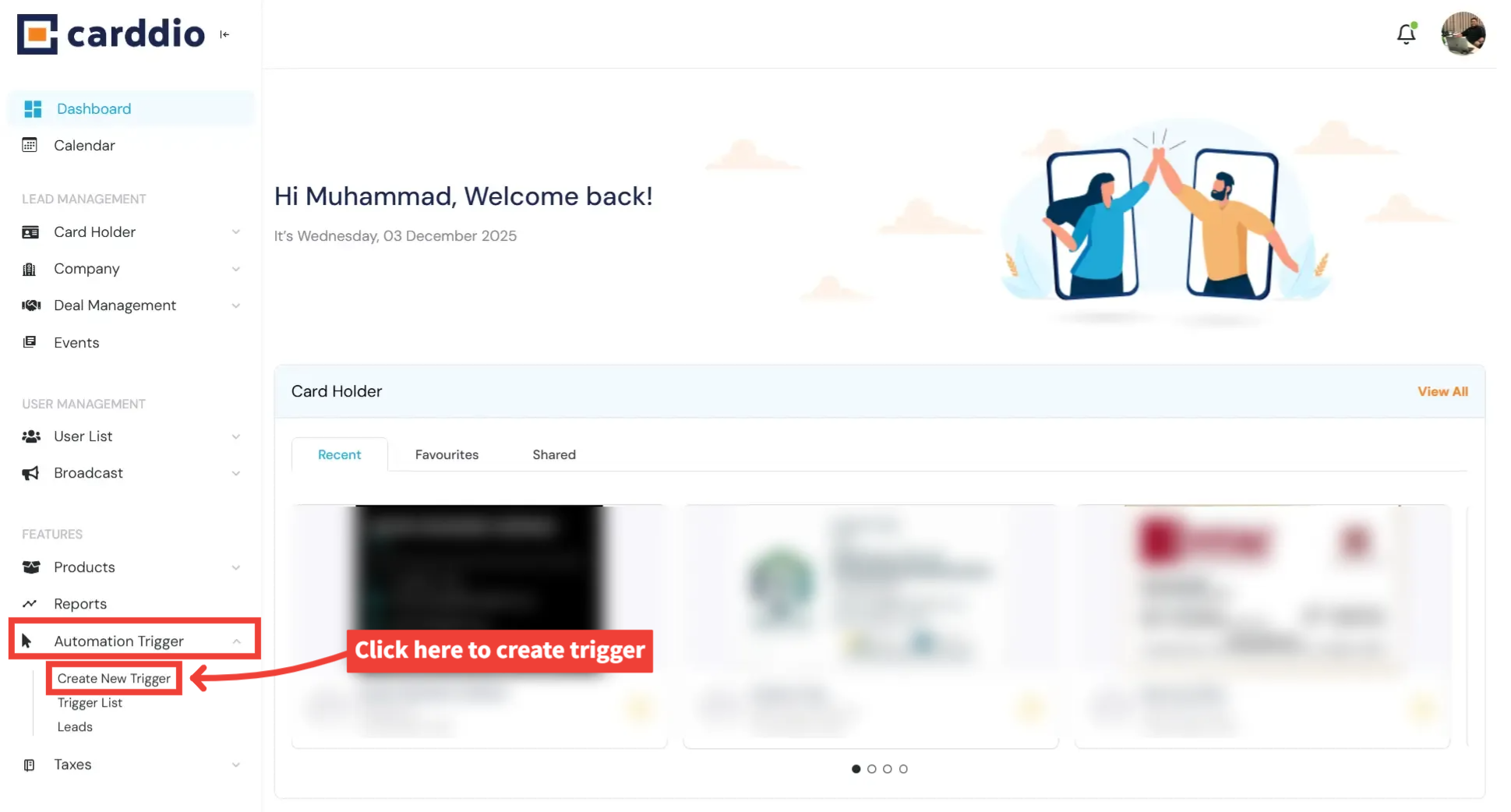
Navigate to the Automation Trigger Module
From your Dashboard, open the left sidebar and click on Automation Trigger, then select Create New Trigger.
-
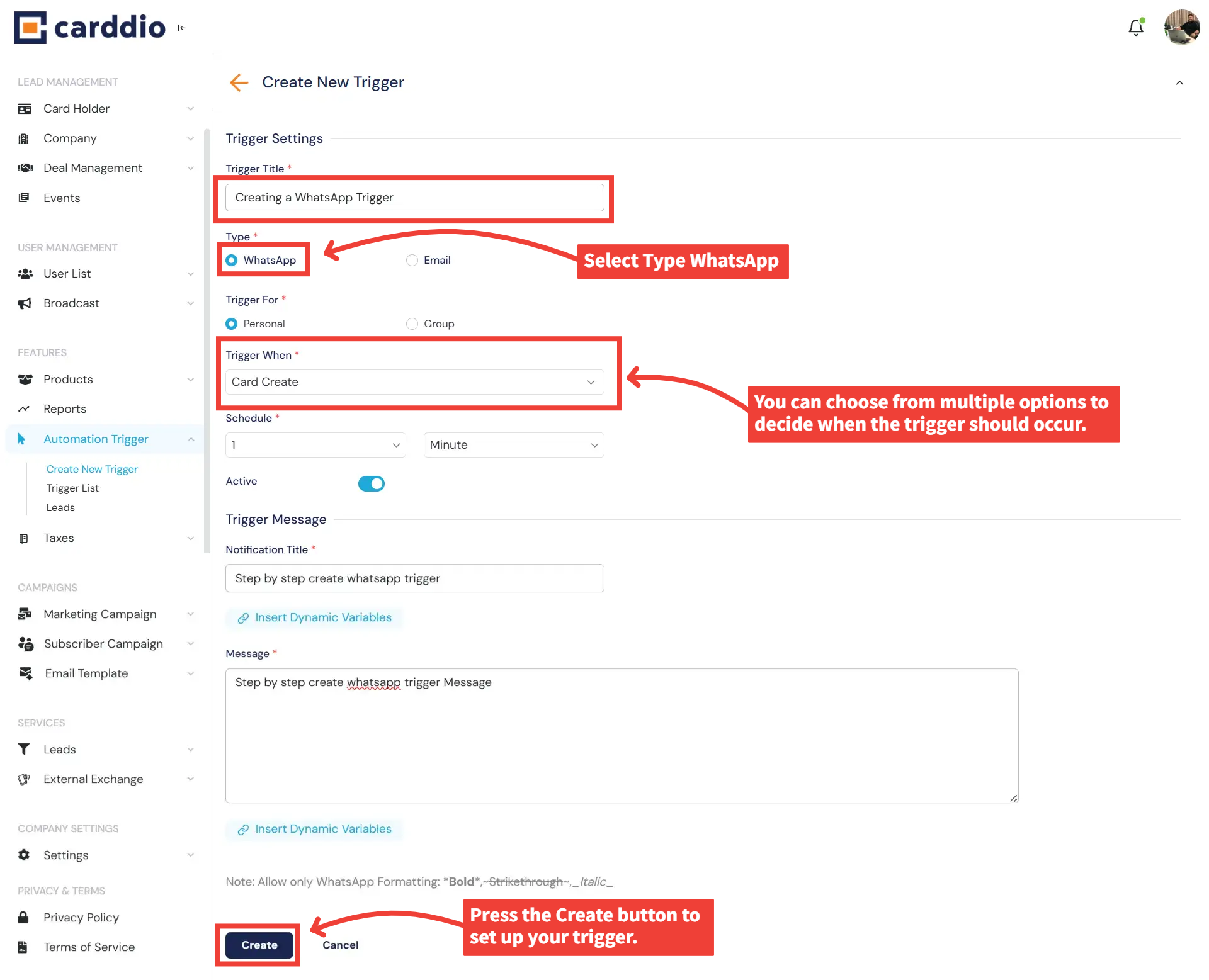
Fill in WhatsApp Trigger Settings
Enter the Trigger Title, then choose WhatsApp as the trigger type.
Next, select when the trigger should occur using the Trigger When dropdown.
-
Add Your WhatsApp Message
Enter a Notification Title and type your WhatsApp message in the message field.
You may also insert dynamic variables for personalized automation.
-
Save Your Trigger
Once all fields are completed, click Create at the bottom of the page to finalize your WhatsApp trigger.
Success! Your WhatsApp Trigger has been successfully created and added to your Automation Trigger List.


