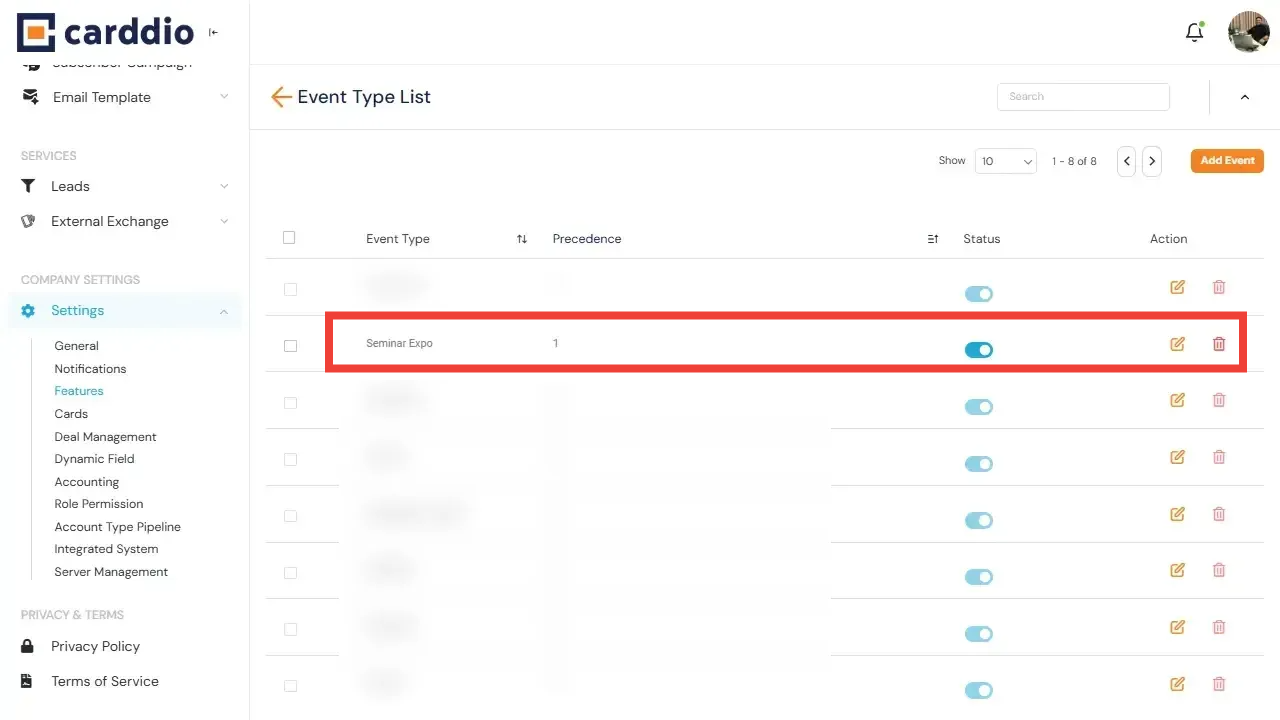

Event Types allow you to categorize and organize events efficiently within the Event Module. Follow the steps below to enable the Event Module and add a new Event Type.
-
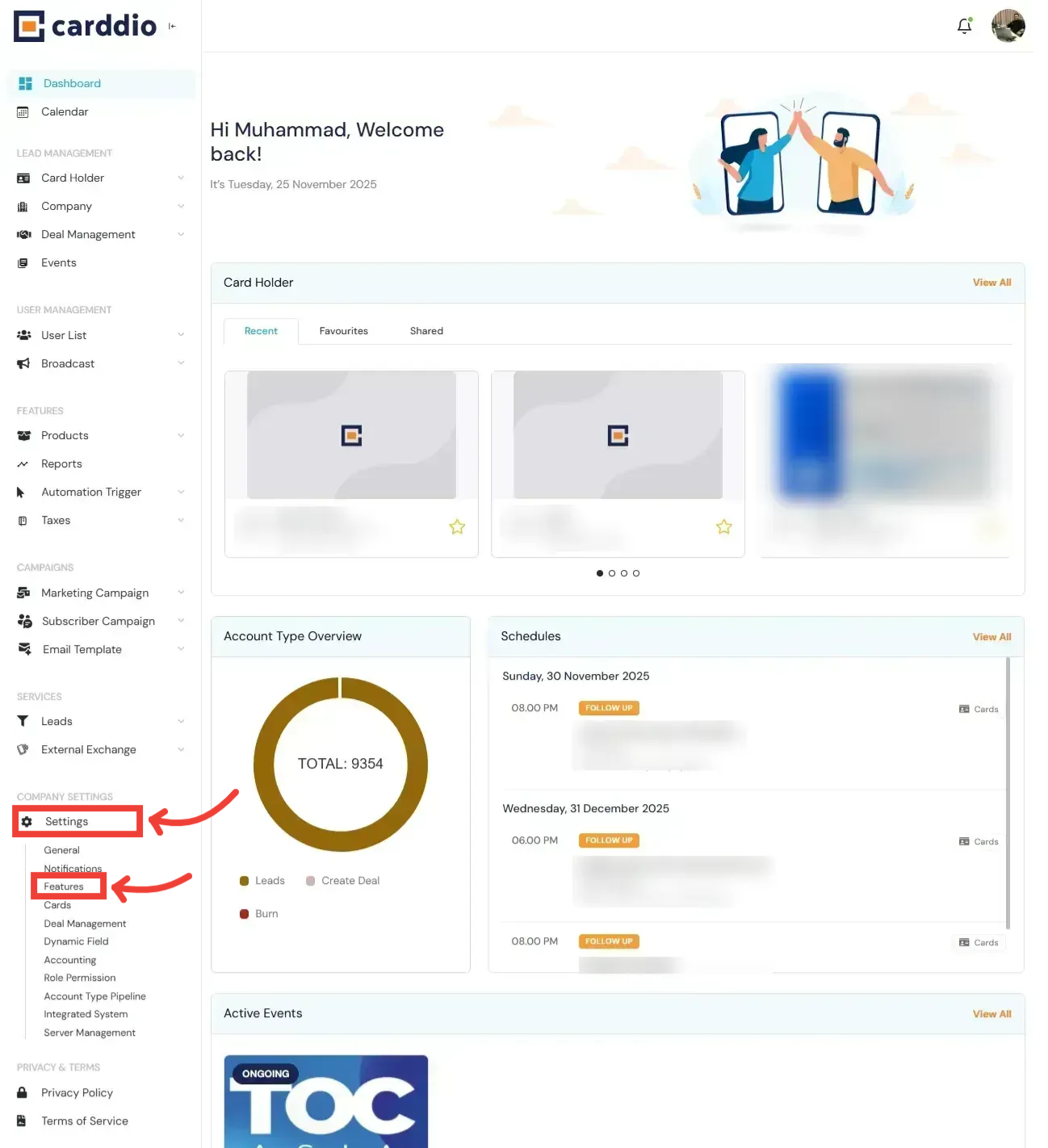
Navigate to Settings
From your Dashboard, open the left sidebar and click on Settings under Company Settings, then choose Features.
-
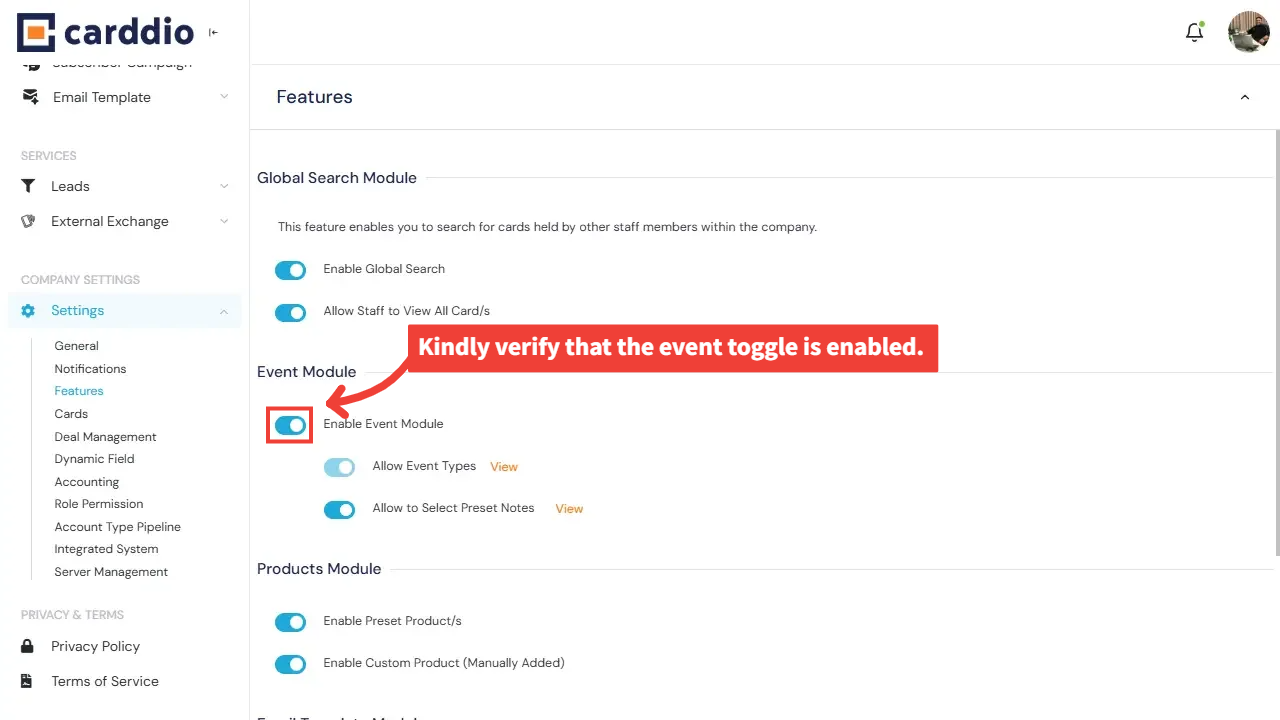
Ensure Event Module Is Enabled
Under the Features section, verify that the Enable Event Module toggle is switched ON.
If disabled, enable it to allow Event Types to be added and used.
-
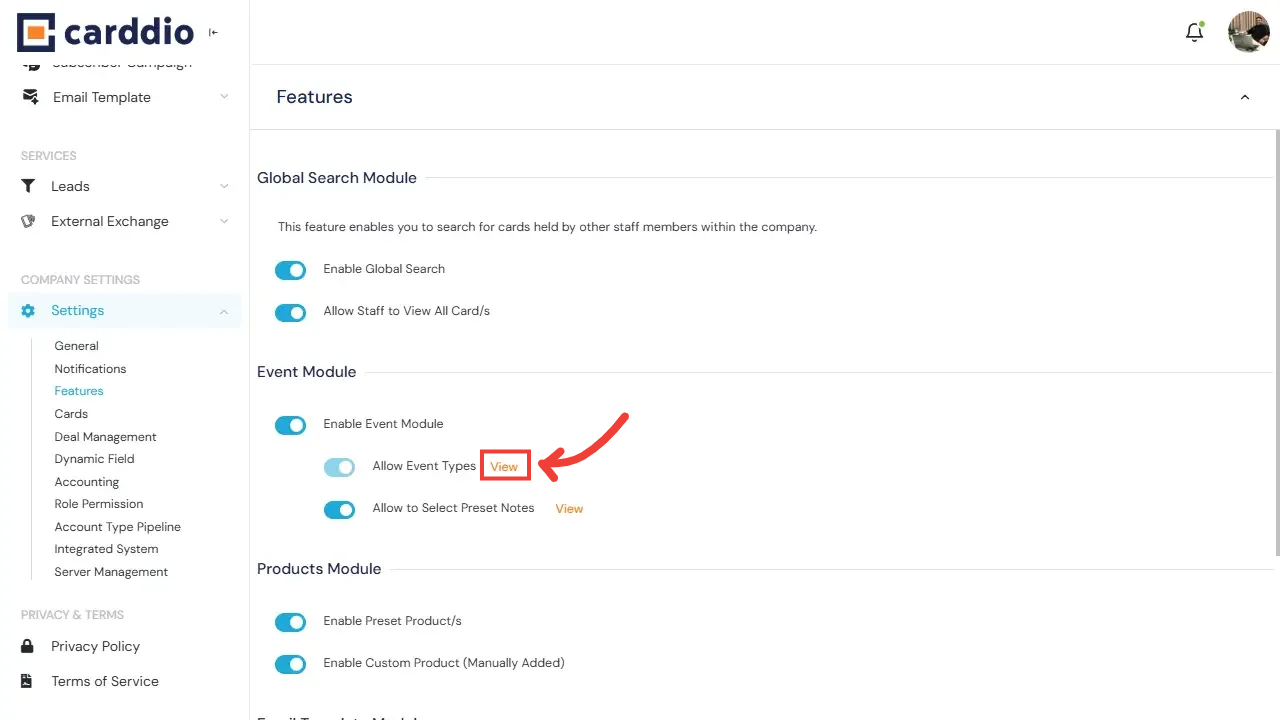
Open Event Type List
Once the Event Module is enabled, click the View link next to Allow Event Types to access the Event Type List.
-
Click Add Event Type
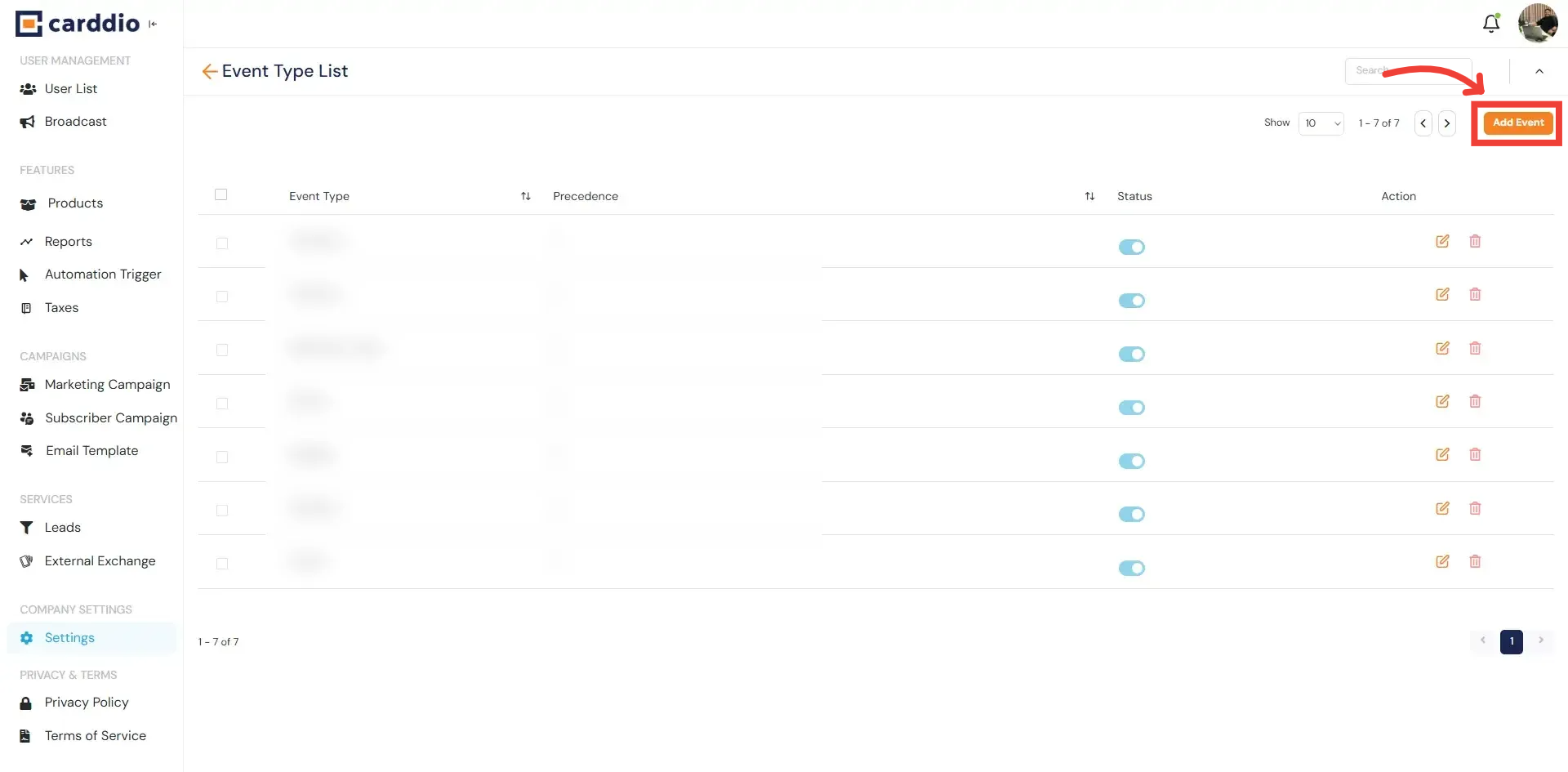
Inside the Event Type List, click the Add Event button located at the top-right corner to create a new event type.
-
Fill in Event Type Details
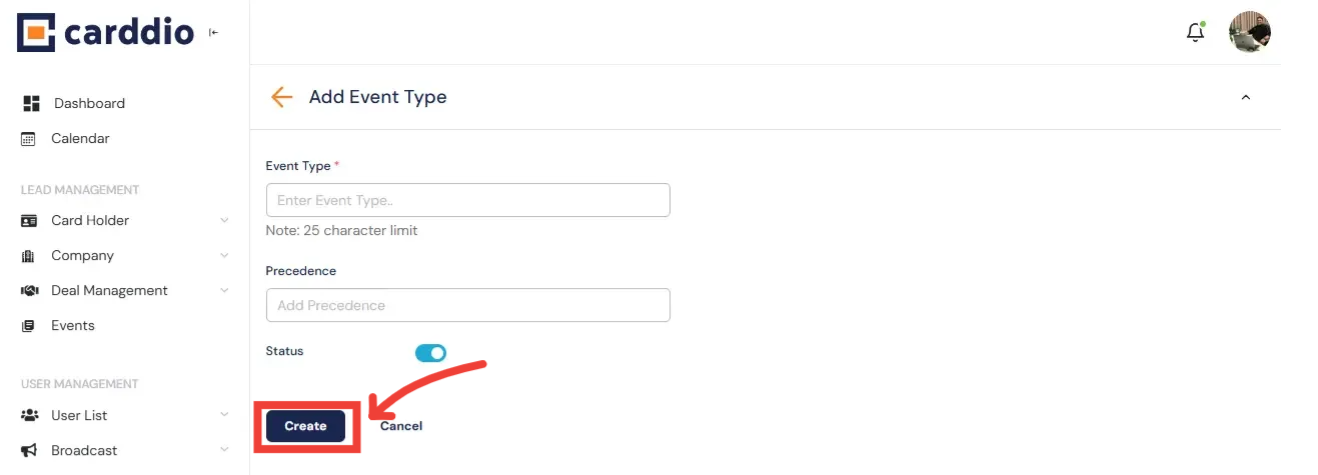
Complete the form by entering the Event Type name, precedence number, and setting its active status.
Once filled, click the Create button to save.
Success! Your Event Type has been successfully added and is now available for selection inside the Event Module.