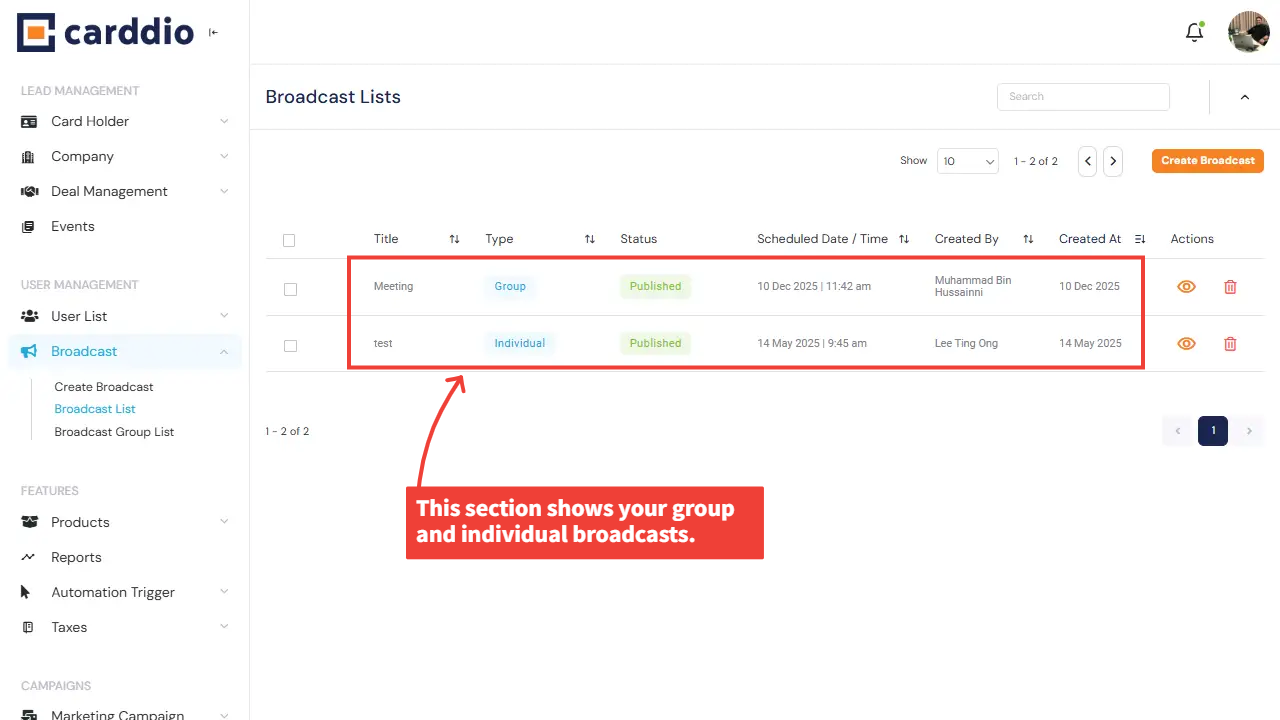

Creating a broadcast in your Carddio system is simple and flexible. You can send broadcasts individually to selected users or send them to specific groups. Follow the steps below to learn how to create both types of broadcasts.
-
Navigate to the Broadcast Module
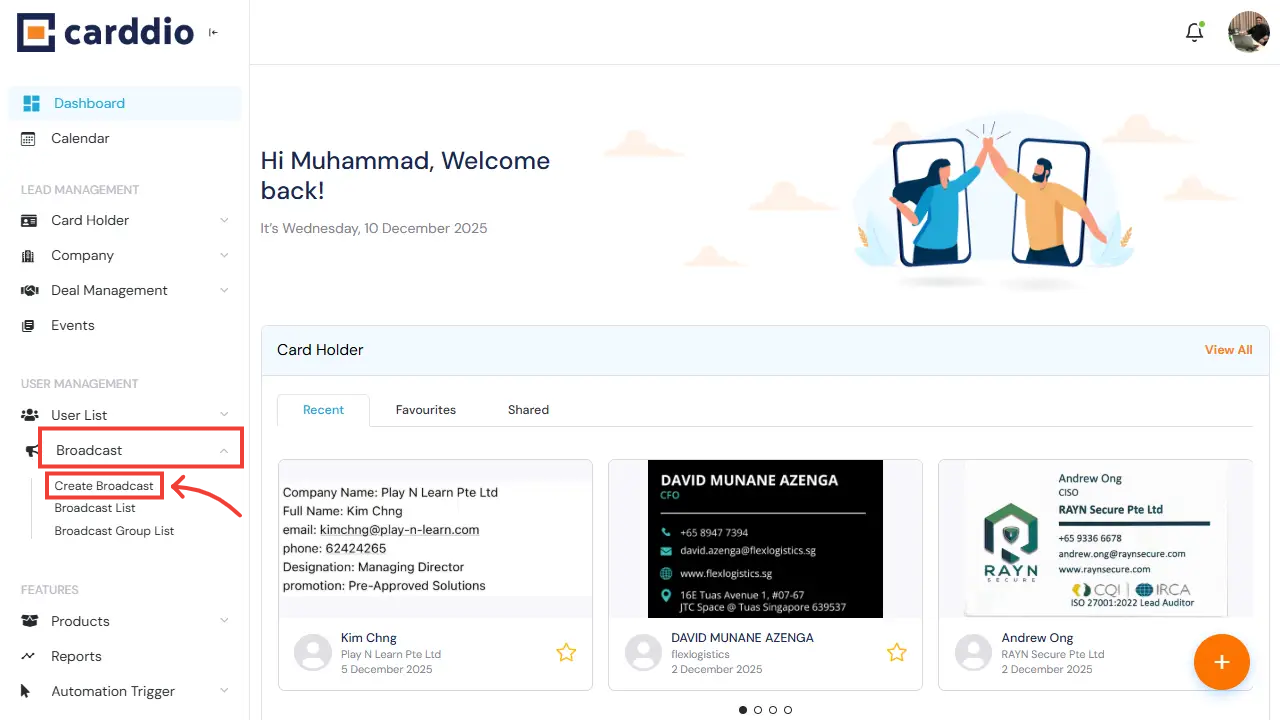
From the Dashboard, open the left sidebar, scroll to Broadcast under User Management, and click Create Broadcast to begin.
-
Select Broadcast Type and Fill in Broadcast Details
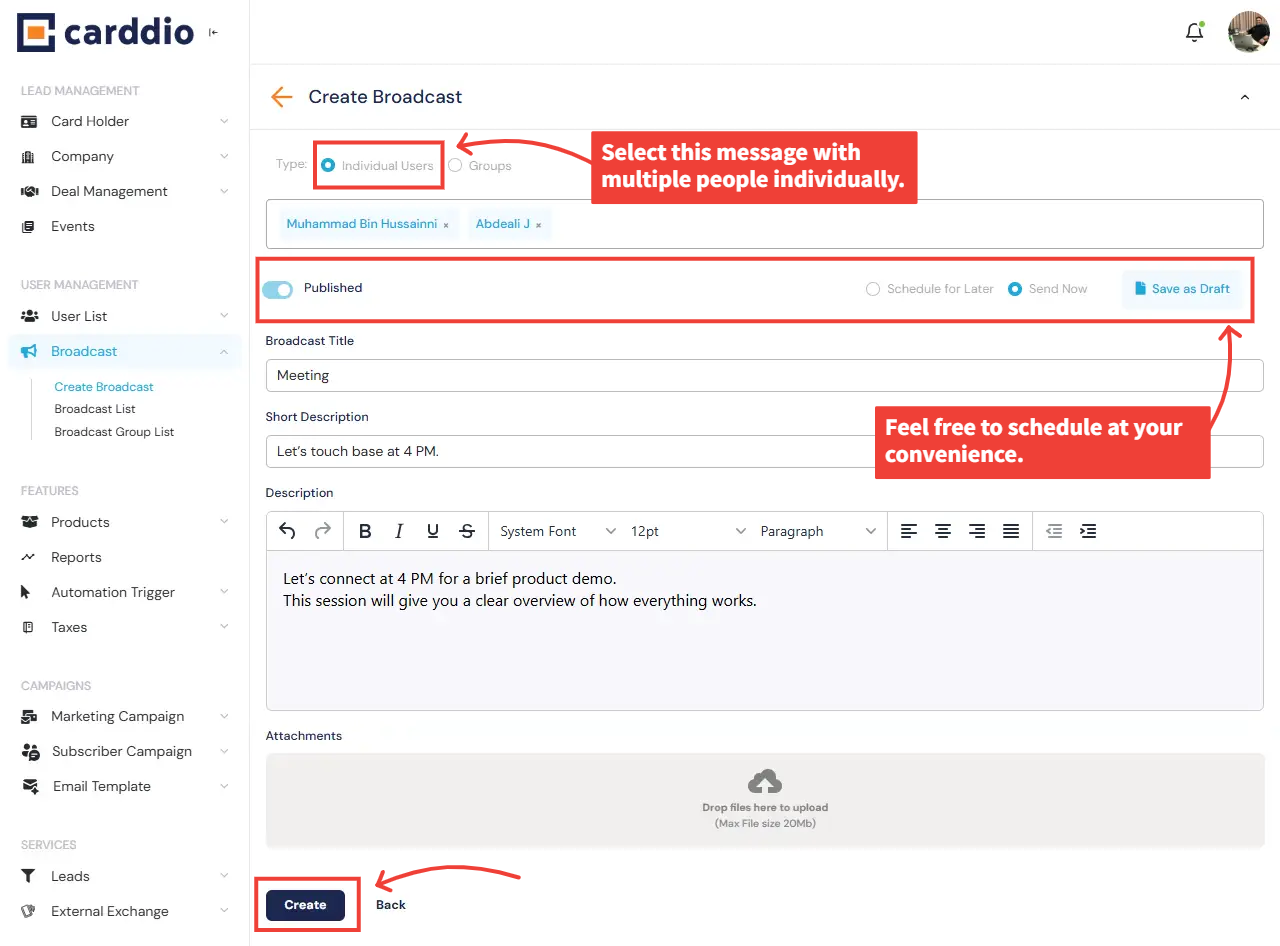
On the Create Broadcast page, first choose whether this message is for Individual Users or Groups.
After selecting the type, proceed to fill in all required broadcast details.
Option A — Individual Broadcast: Select Individual Users and choose users one by one.
Option B — Group Broadcast: Select Groups and assign the broadcast to one or more user groups.
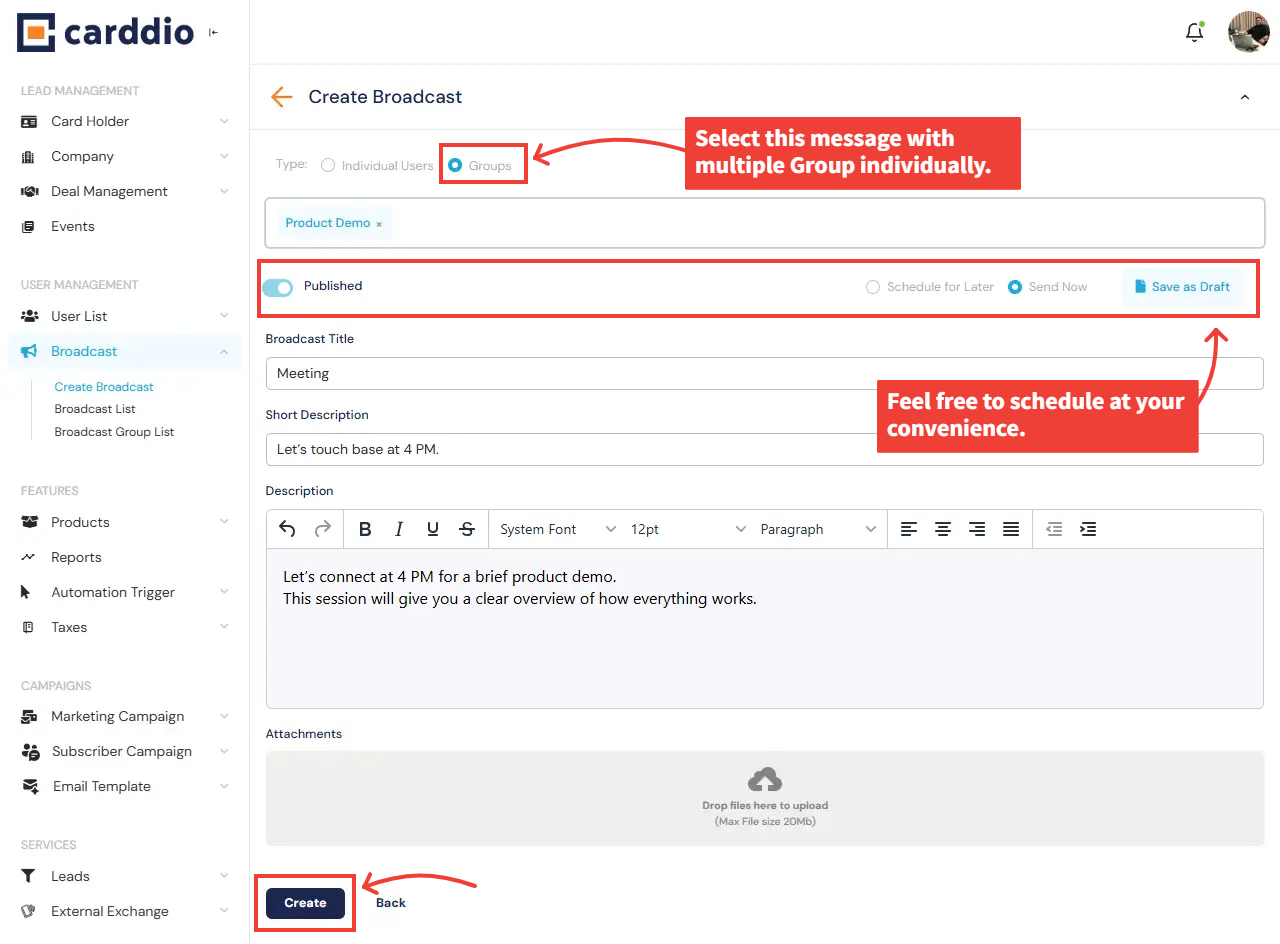
Once the broadcast type is selected, fill in the following details:
- Broadcast Title: Provide a descriptive title.
- Short Description: Add a brief summary.
- Description: Enter the full broadcast message.
- Attachments: Upload files such as images or PDFs (optional).
- Publish Settings: Choose Send Now or Schedule for Later.
-
Create the Broadcast
After all information is completed, click Create at the bottom of the page to save and publish (or schedule) your broadcast.
Success! Your broadcast has been created successfully and will now appear in the Broadcast List.