


Get ready to supercharge your email marketing! This guide will walk you through creating and sending a marketing campaign using your lead groups in Carddio CRM.
-
Navigate to Create Campaign
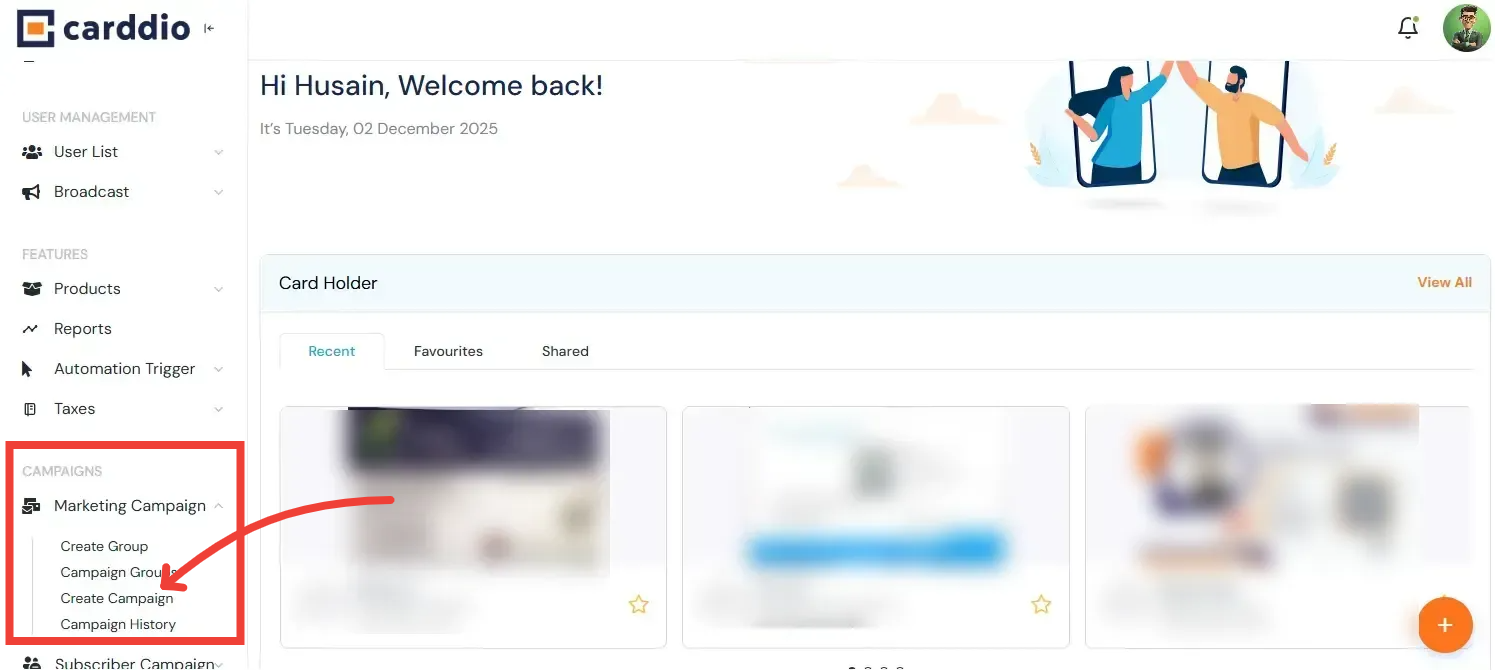
From the side menu, click on the Marketing Campaign drop-down, then select Create a Campaign.
-
Select Campaign Type
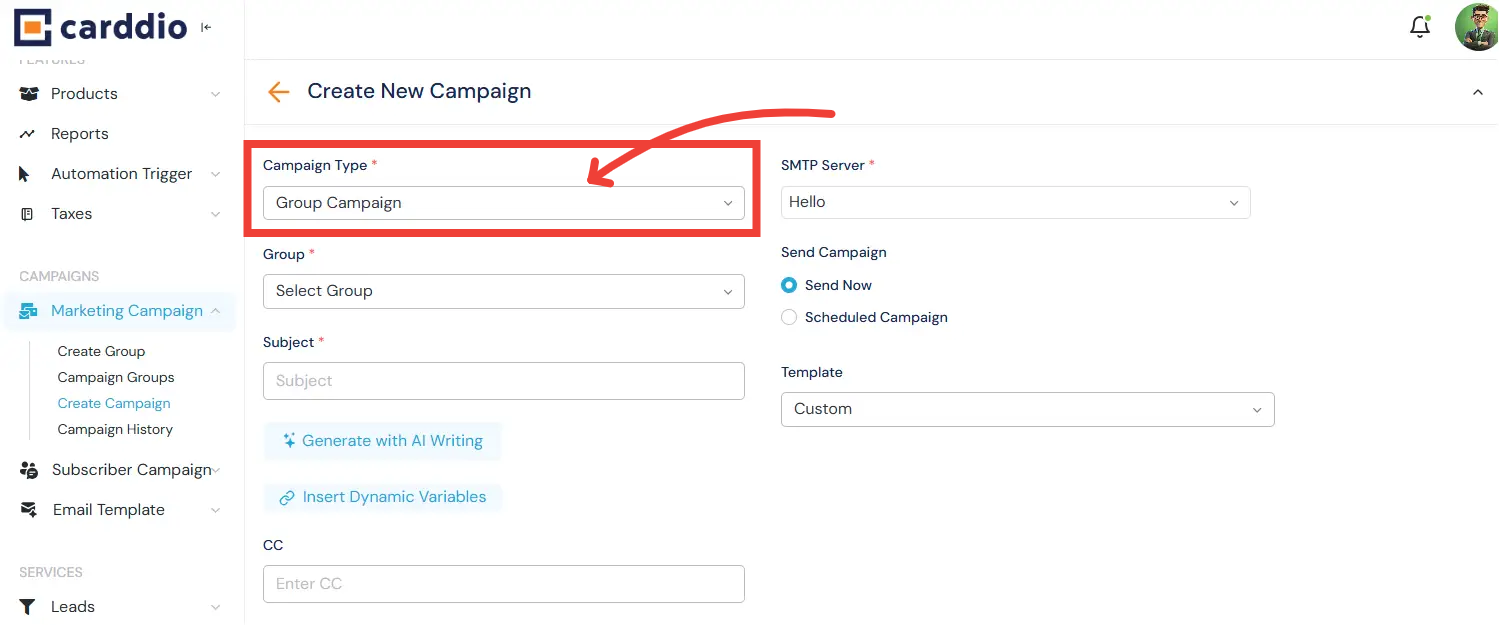
In the “Create New Campaign” form, click the Campaign Type dropdown. Choose the appropriate type, such as Group Campaign, Personal Campaign, or Event Campaign.
-
Select Target Group
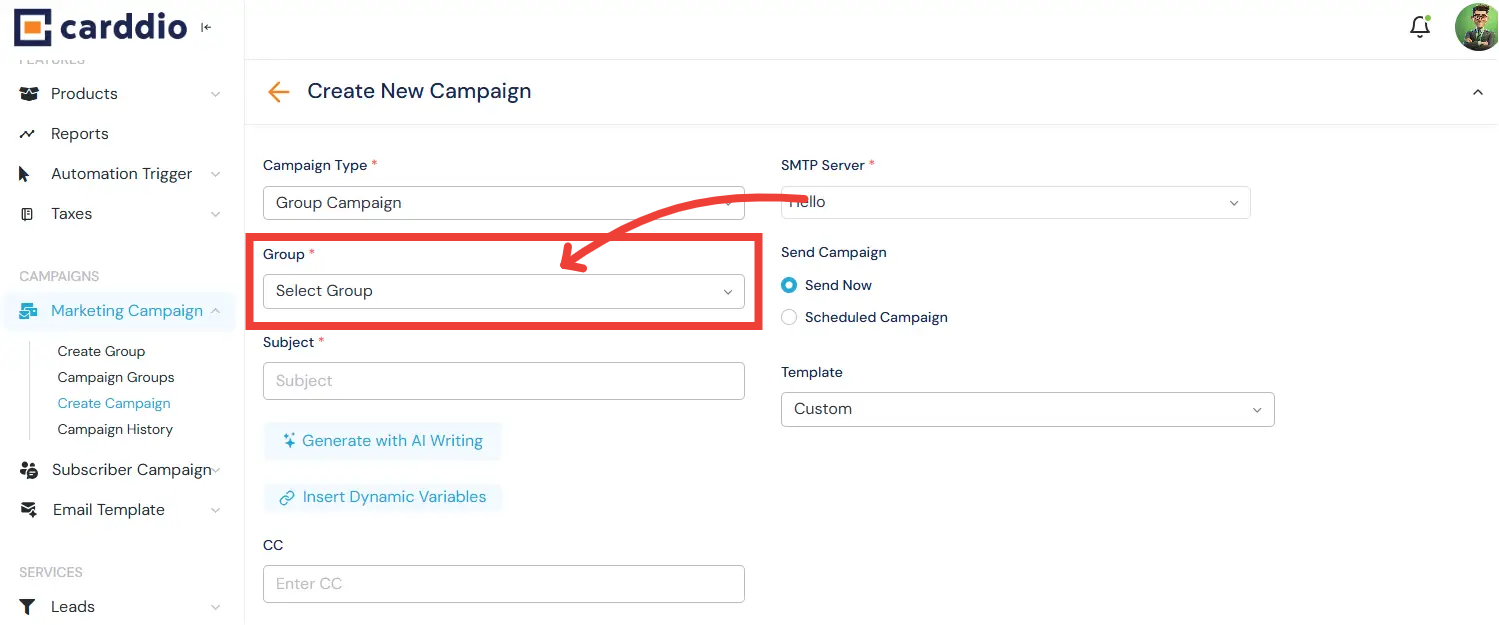
Once the type is selected, click the Group dropdown field and pick the specific Lead Group you want to target.
-
Compose Content
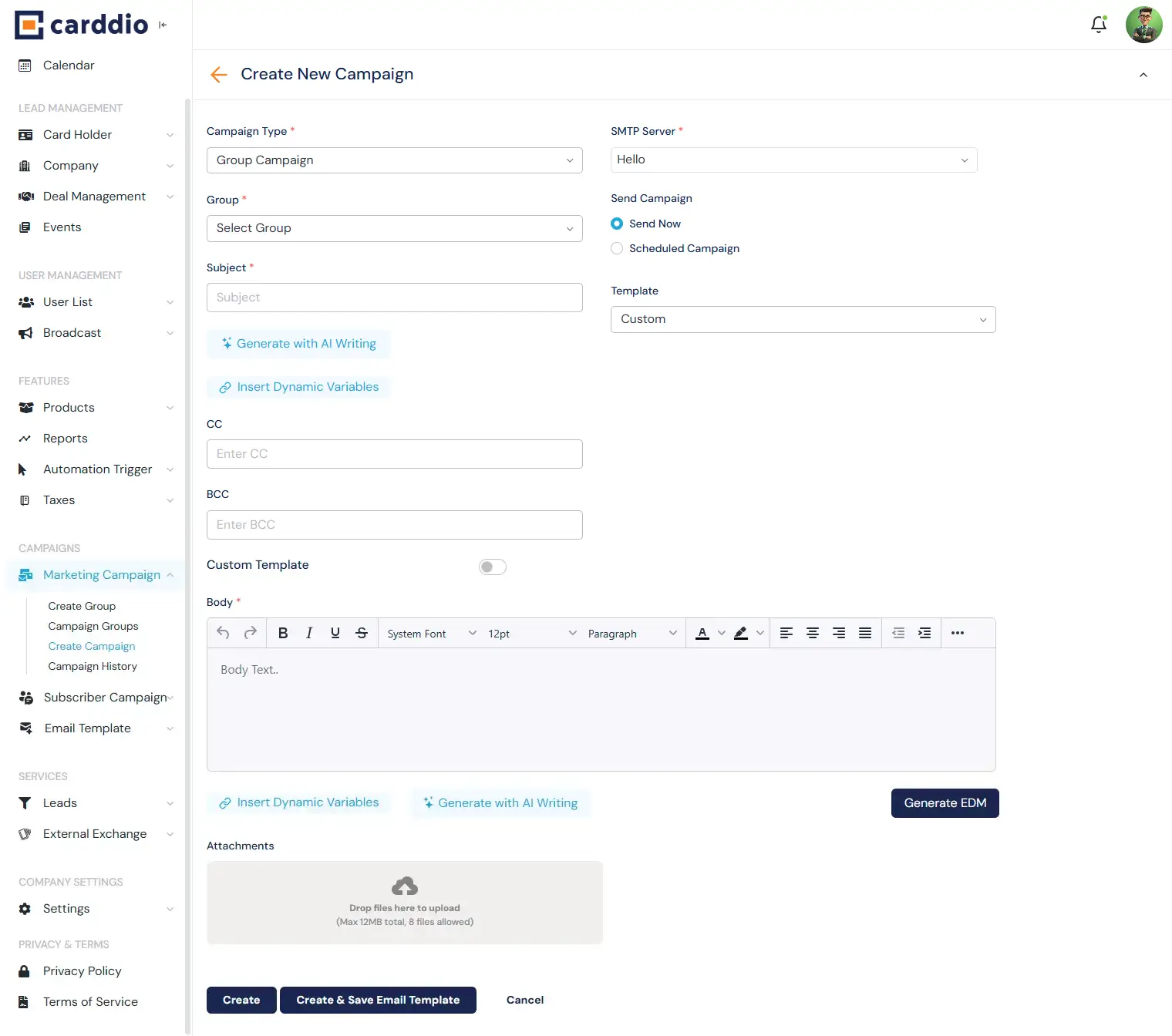
Enter a compelling Subject line. In the Body section, compose your email content. You can also add CC/BCC recipients or click Add Attachment to include files.
-
Configure Sending
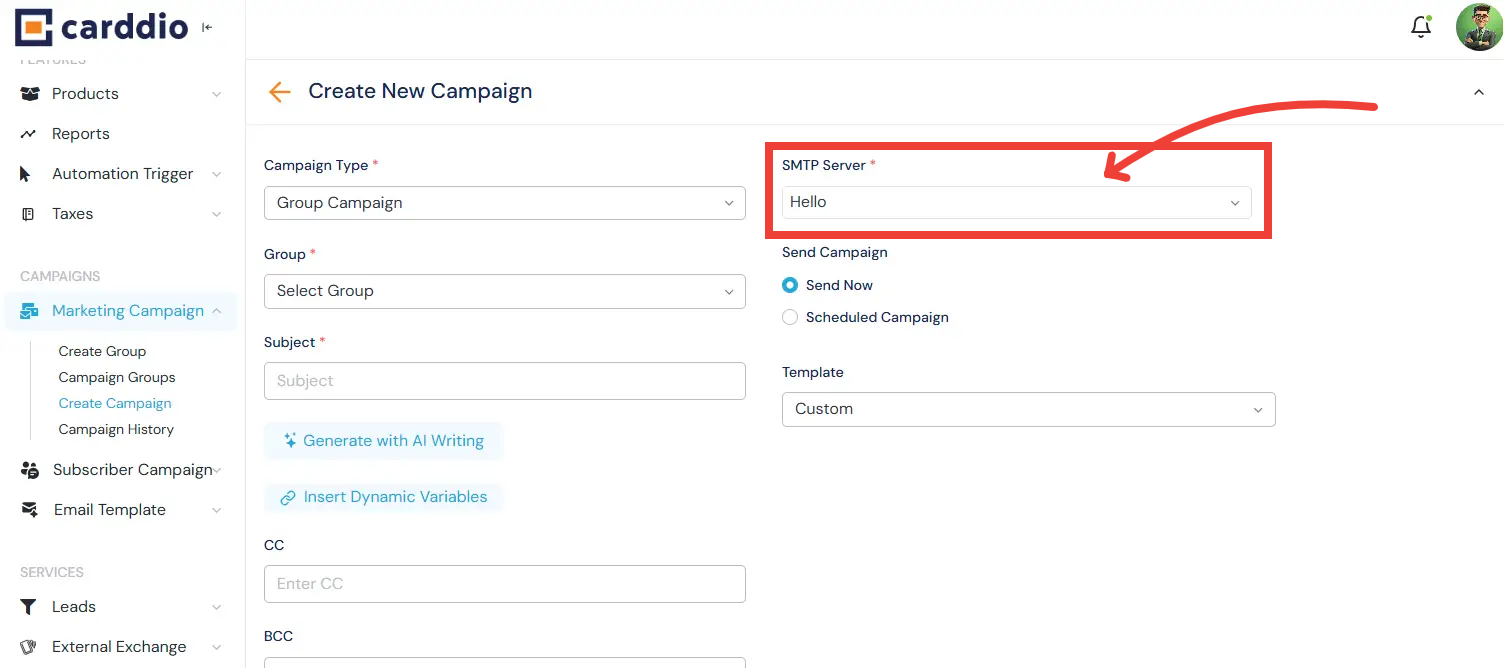
Select your sending email from the SMTP Server dropdown. Then, choose your sending preference: Send Now for immediate delivery or Scheduled Campaign to send it later.
-
Launch
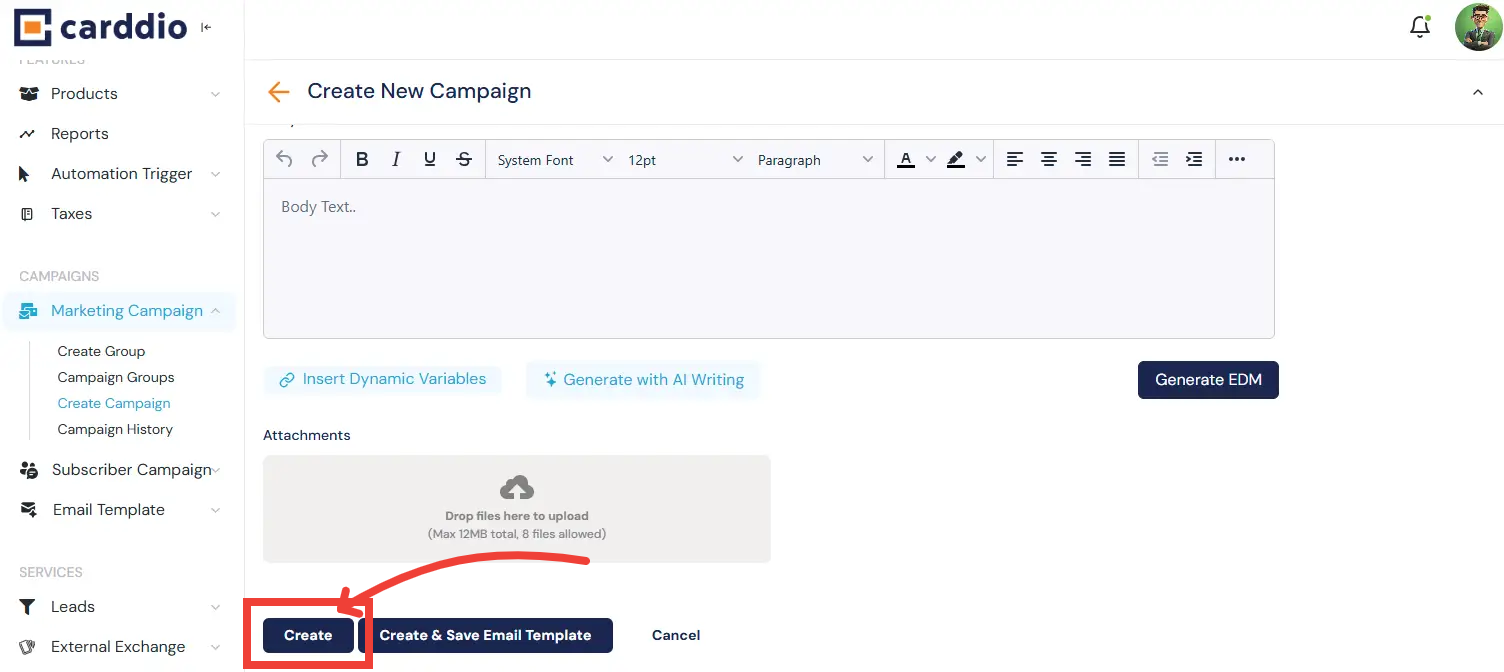
Click the orange Create button at the bottom of the form to finalize and launch your campaign.
Success! You have successfully created and sent your marketing campaign.


