


Broadcast Groups allow you to organize users into specific segments so you can send group-based broadcasts easily. Follow the steps below to create and manage your Broadcast Groups in Carddio.
-
Navigate to the Broadcast Group Module
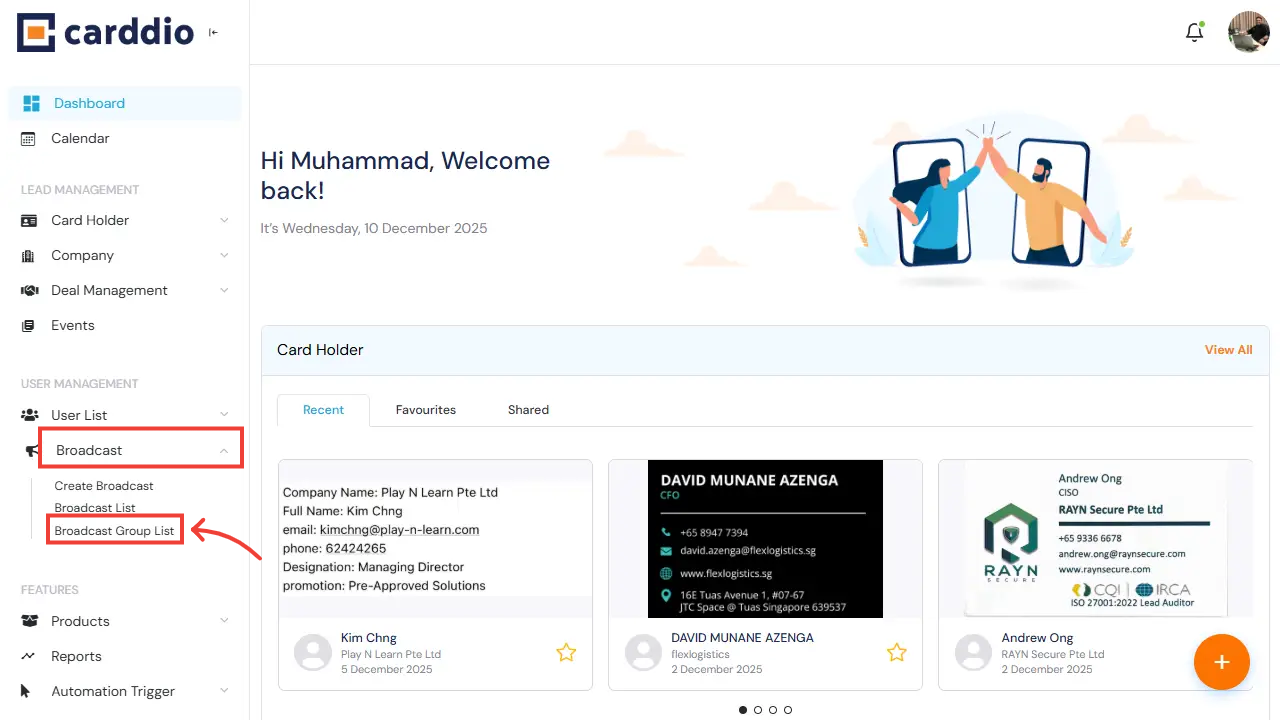
From the Dashboard, go to the left sidebar, open the Broadcast menu under User Management, and click Broadcast Group List to access your broadcast groups.
-
Create a New Broadcast Group
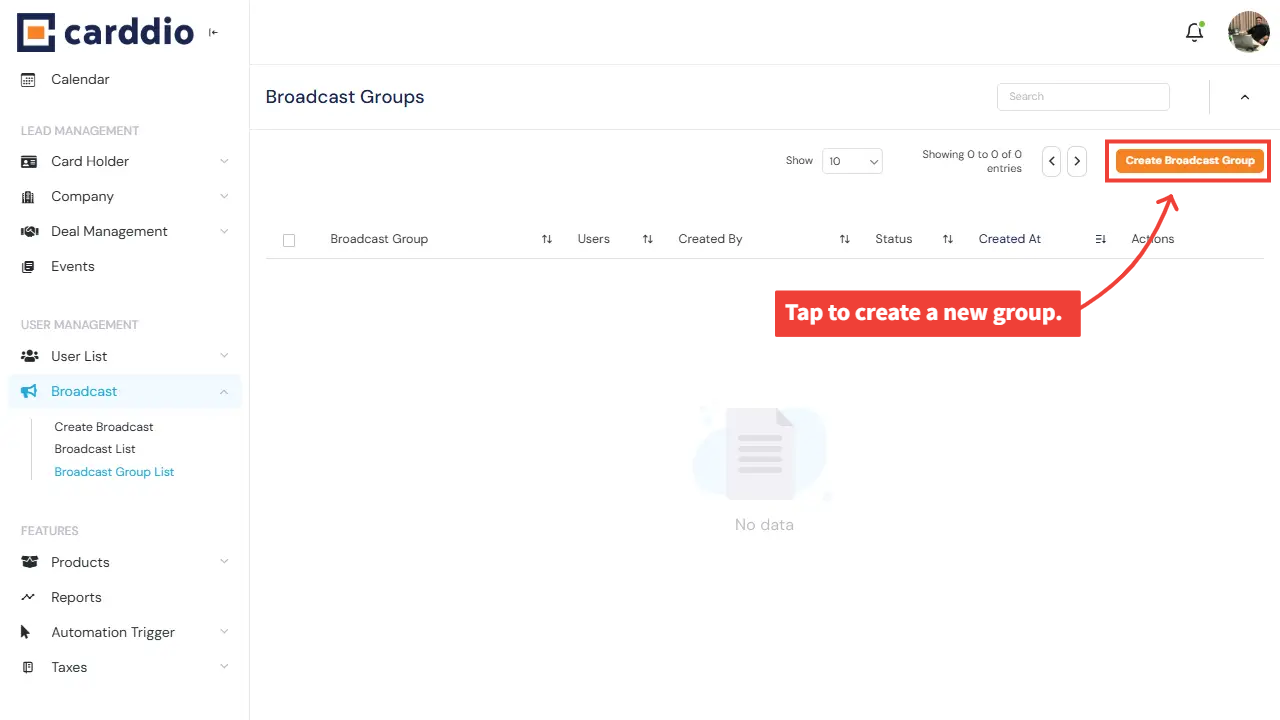
If your list is empty, click the Create Broadcast Group button on the top right to start creating your first group.
-
Fill in Broadcast Group Details
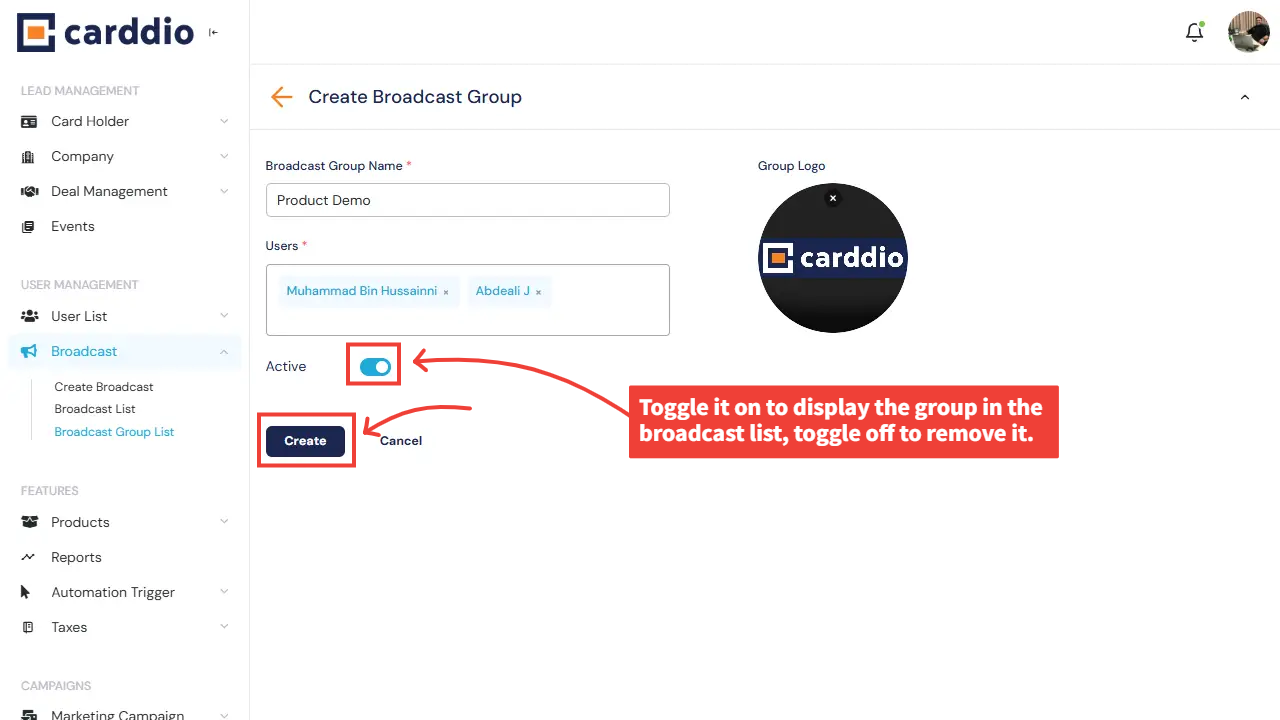
Complete the form by entering your Broadcast Group Name, selecting users to include in the group, uploading a group logo, and choosing whether the group is active.
- Group Name: Provide a clear title for your group.
- Users: Add one or multiple users into the group.
- Group Logo: Upload an image to represent the group (optional).
- Active Toggle: Switch on to display the group in your broadcast list.
-
View Your Broadcast Group
After creating the group, you’ll be redirected to the Broadcast Group List where you can see all your existing groups along with their status, users, and actions for editing or deleting.
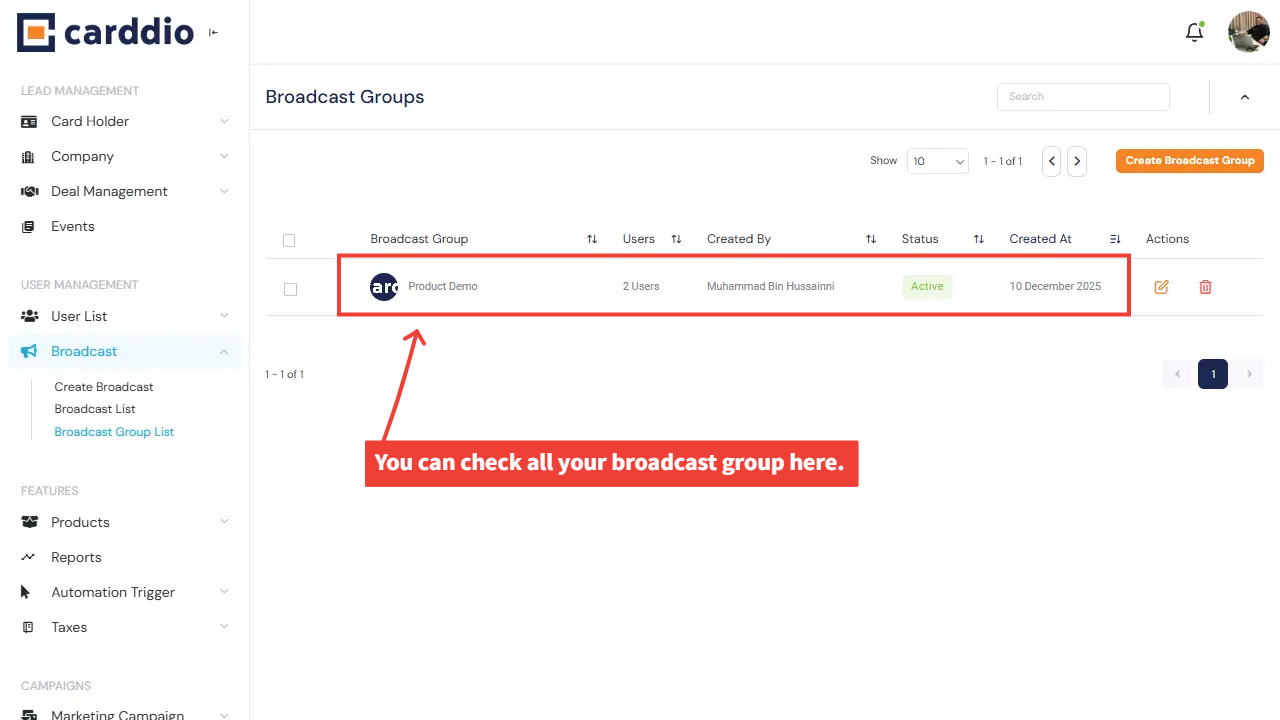
Success! Your broadcast group has been created successfully and is now available for use when creating group broadcasts.


