


Managing Deal Reference Numbers and Due Date settings in Carddio helps you maintain consistent tracking and workflow control.
Follow the steps below to configure automated or custom deal reference numbers and enable due date settings.
-
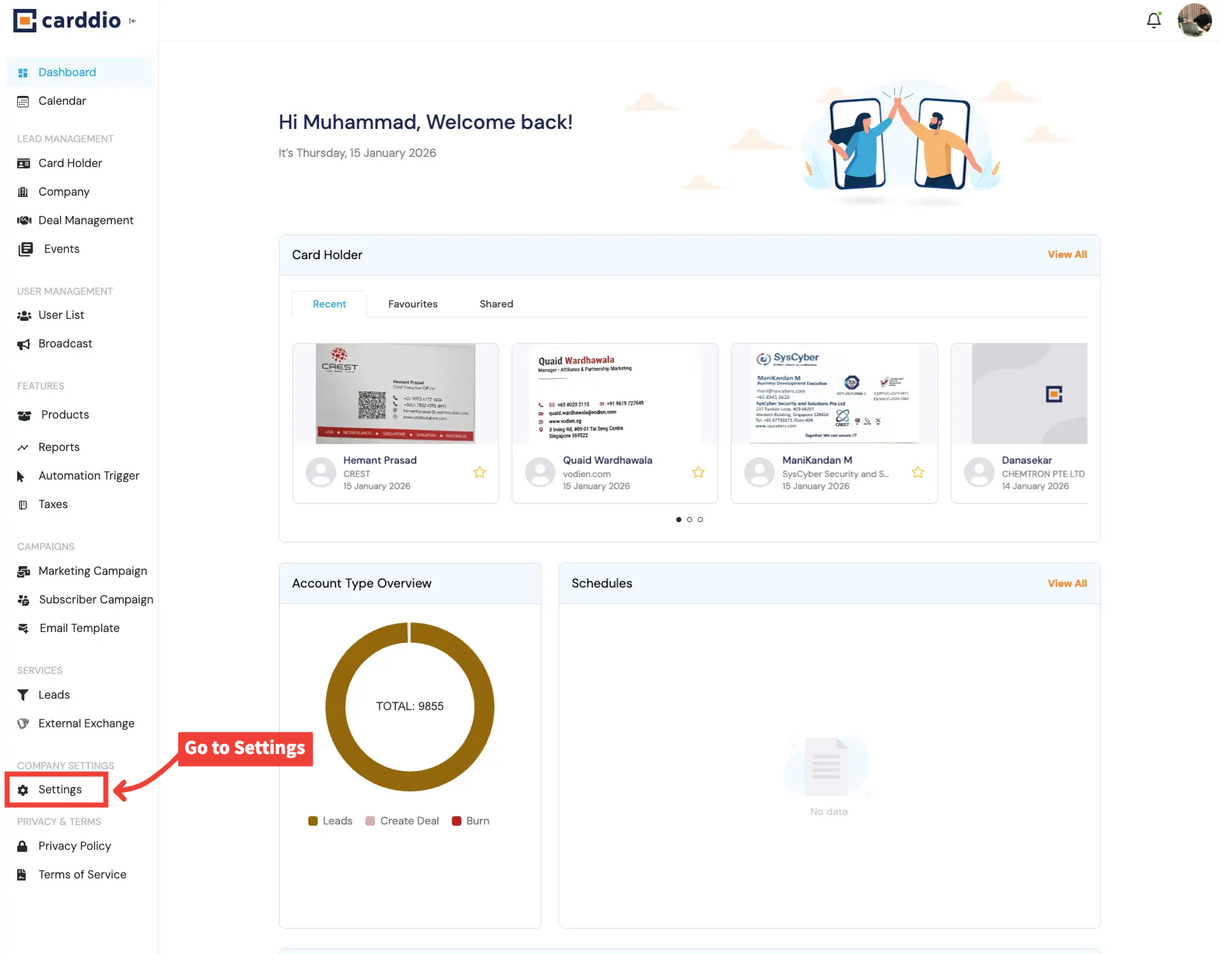
Go to Settings from Dashboard
From the Dashboard, scroll down the left sidebar and click on Settings under Company Settings.
-
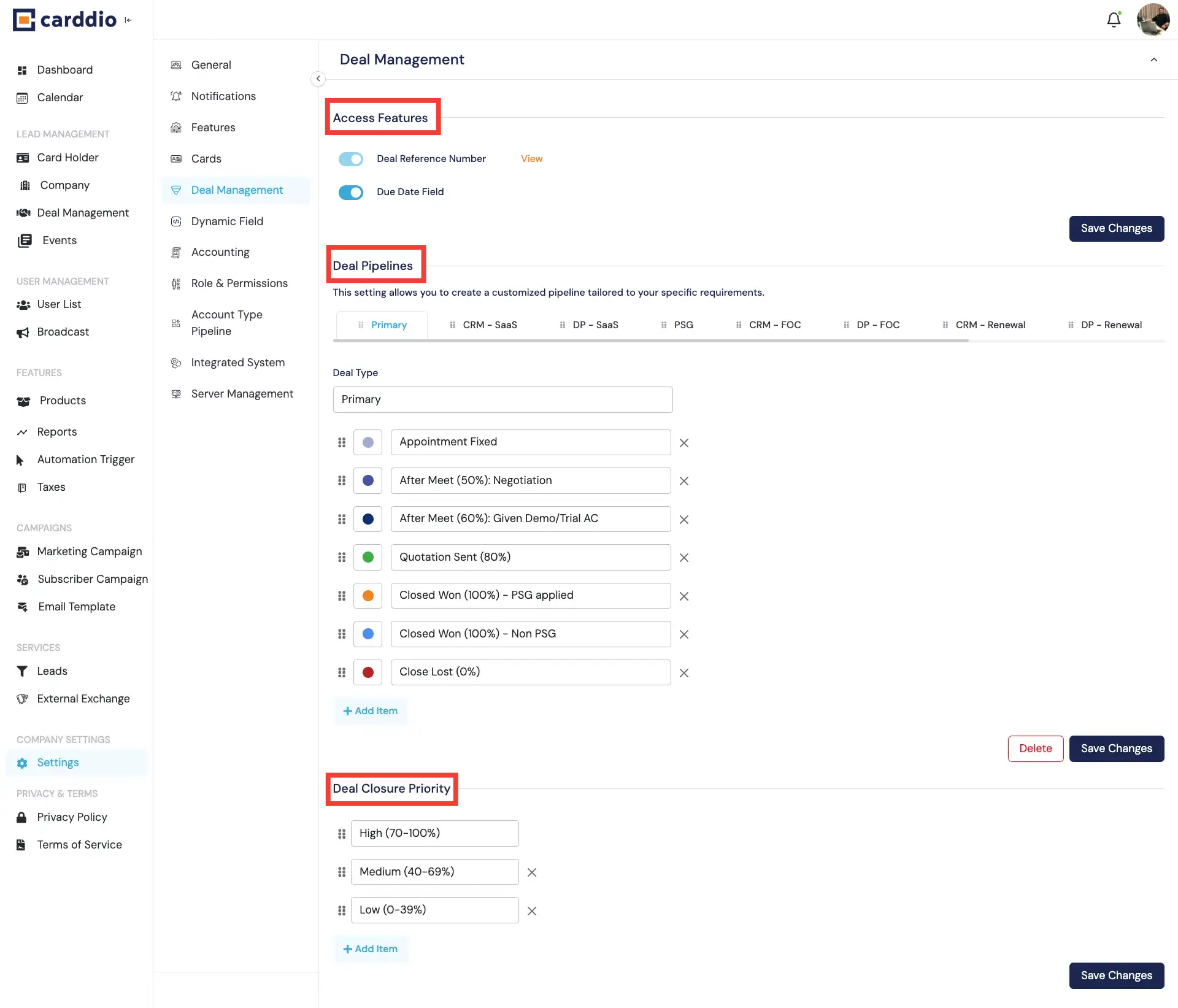
Open Deal Management Settings
Inside Settings, select Deal Management from the left menu to access deal-related configurations.
-
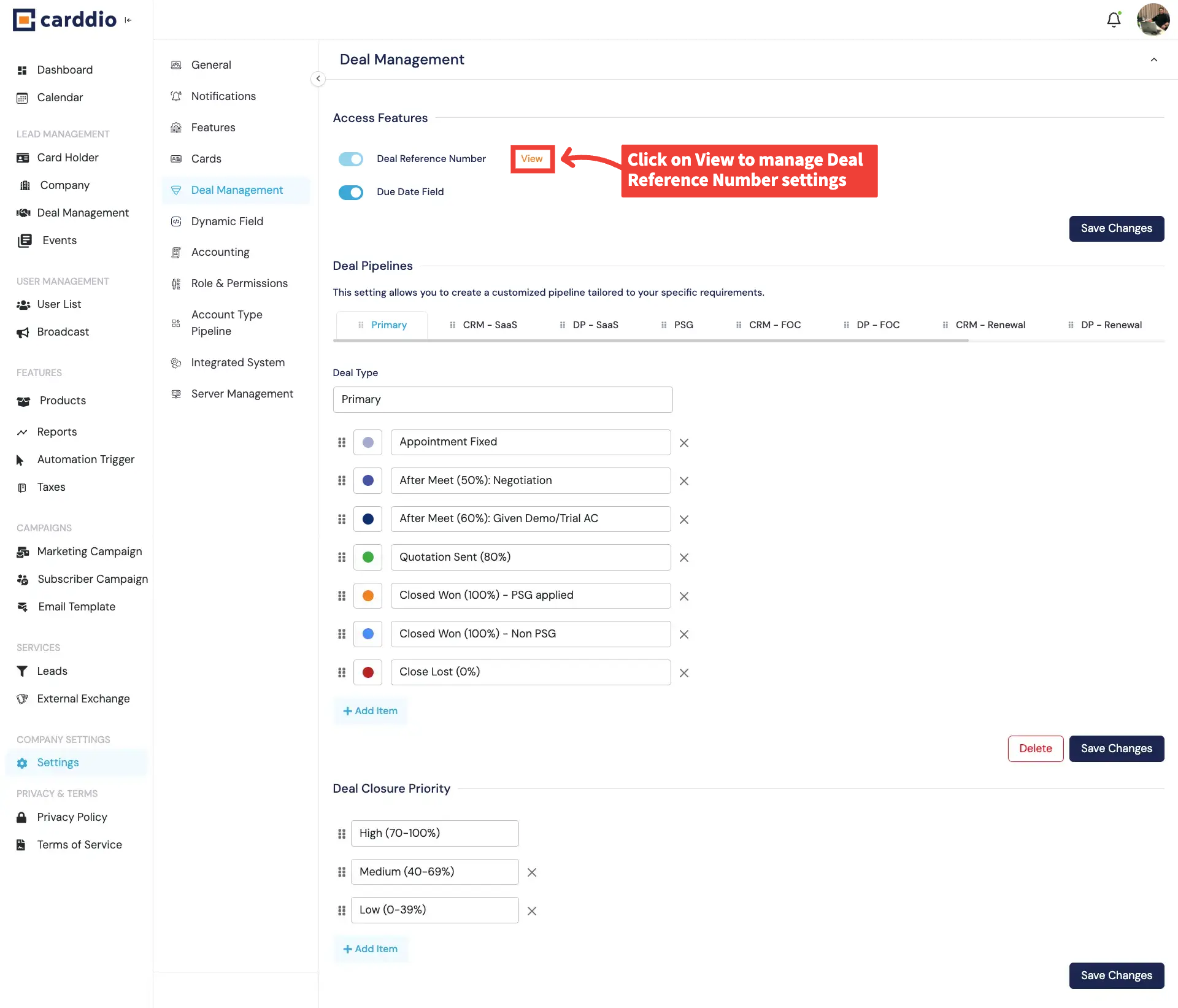
Access Reference Number & Due Date Settings
Under Access Features, enable the Deal Reference Number and Due Date Field.
Click View to configure the reference number pattern.
- Deal Reference Number: Enable unique deal identifiers.
- Due Date Field: Track deadlines for each deal.
-
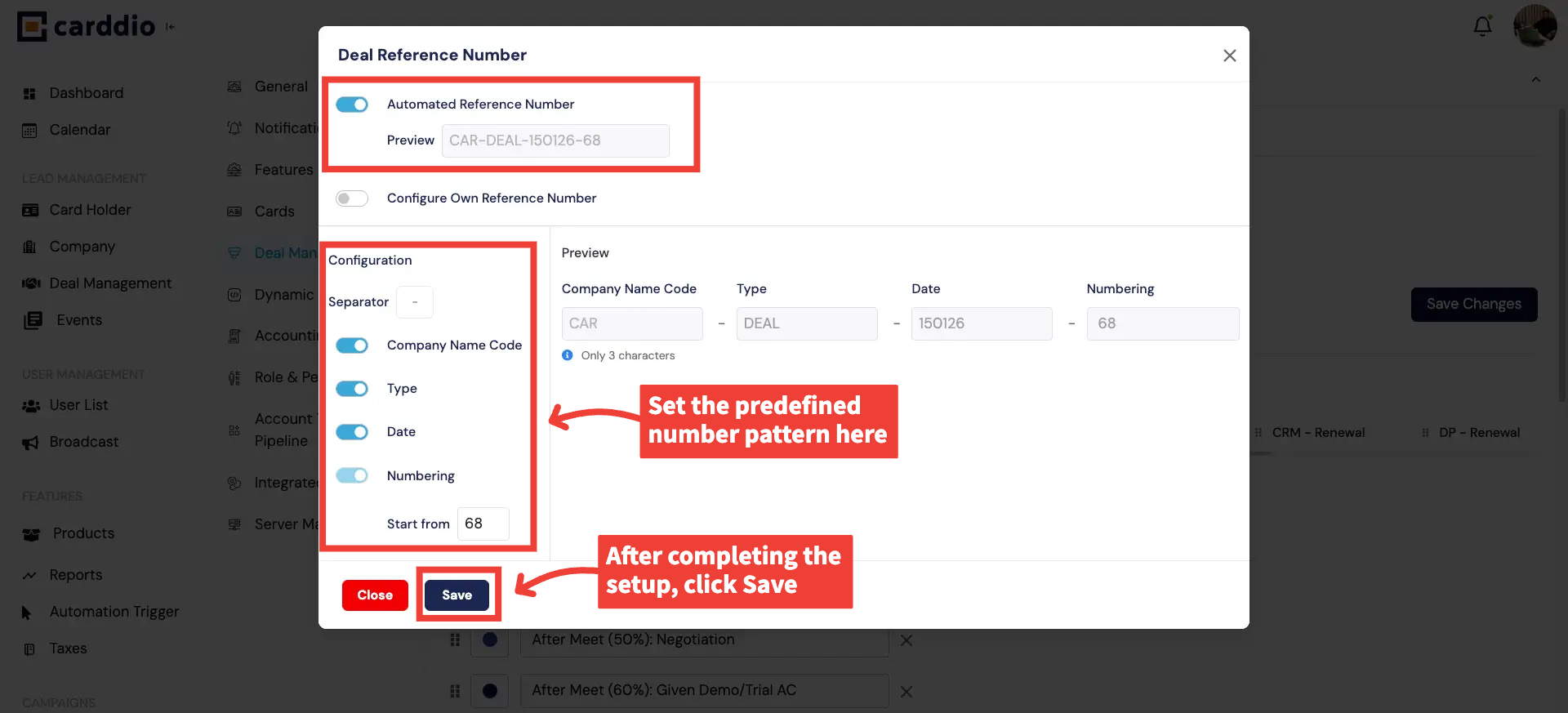
Option 1 — Use Automated Reference Number
Choose Automated Reference Number to let the system generate deal numbers automatically
using predefined elements such as company code, deal type, date, and sequence number.
-
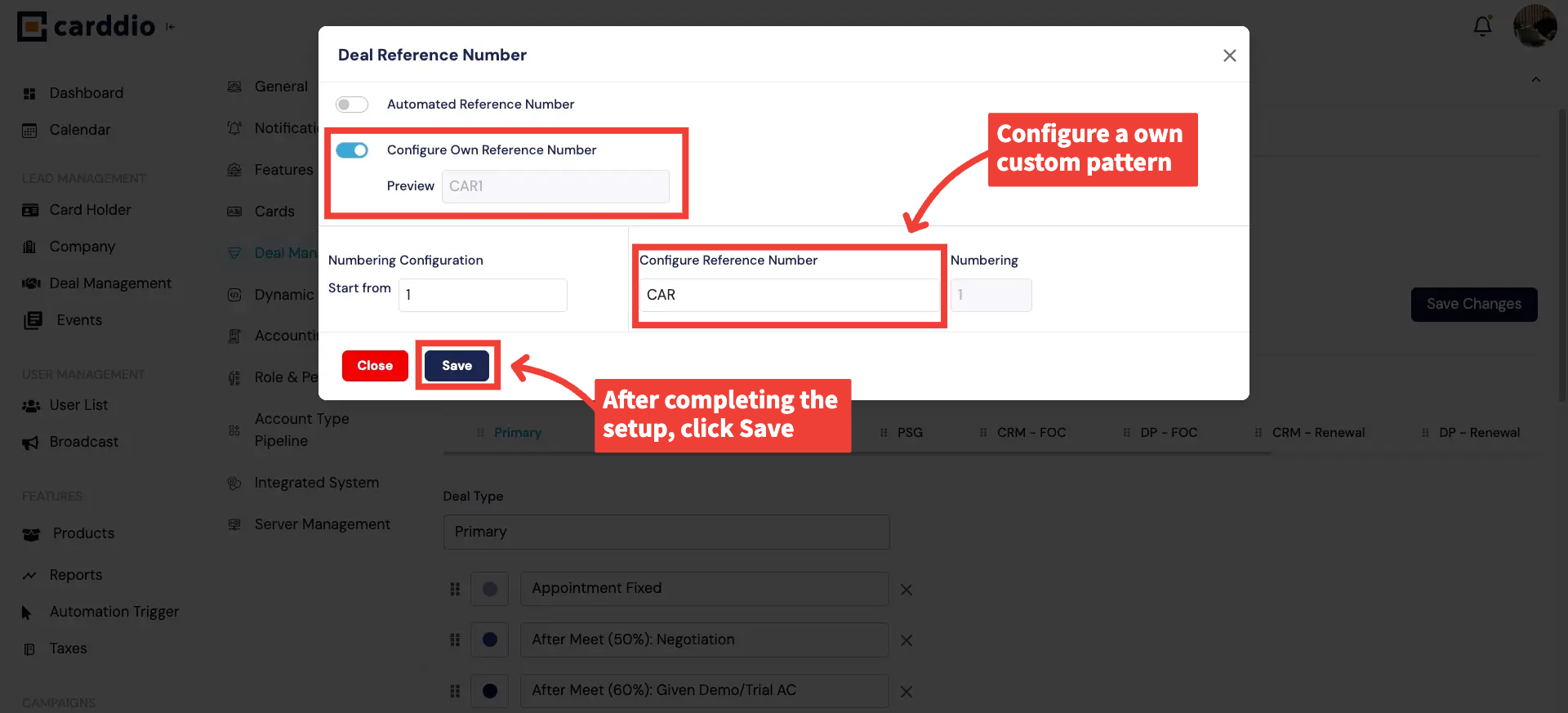
Option 2 — Configure Your Own Reference Number
Select Configure Own Reference Number to define a custom deal number format.
Set your prefix and starting number, then click Save to apply changes.
Success! Your Deal Reference Number and Due Date settings are now configured and ready to use.


