


Carddio lets you manage your Deal Pipelines by updating existing pipelines or creating new ones. Follow the steps below in the correct flow to access Deal Management and configure pipelines.
-
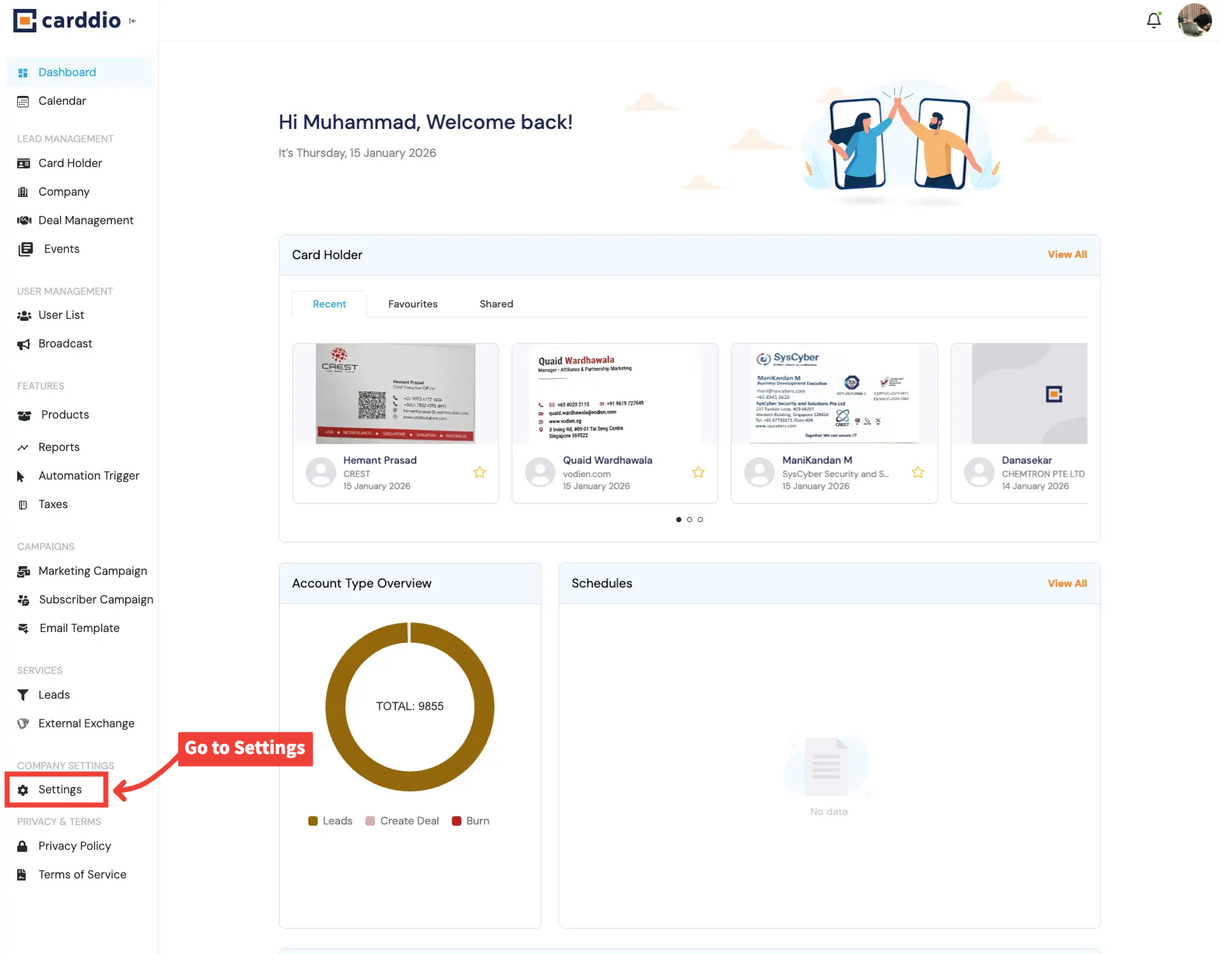
Go to Settings from Dashboard
From the Dashboard, scroll down the left sidebar and click on Settings under Company Settings.
-
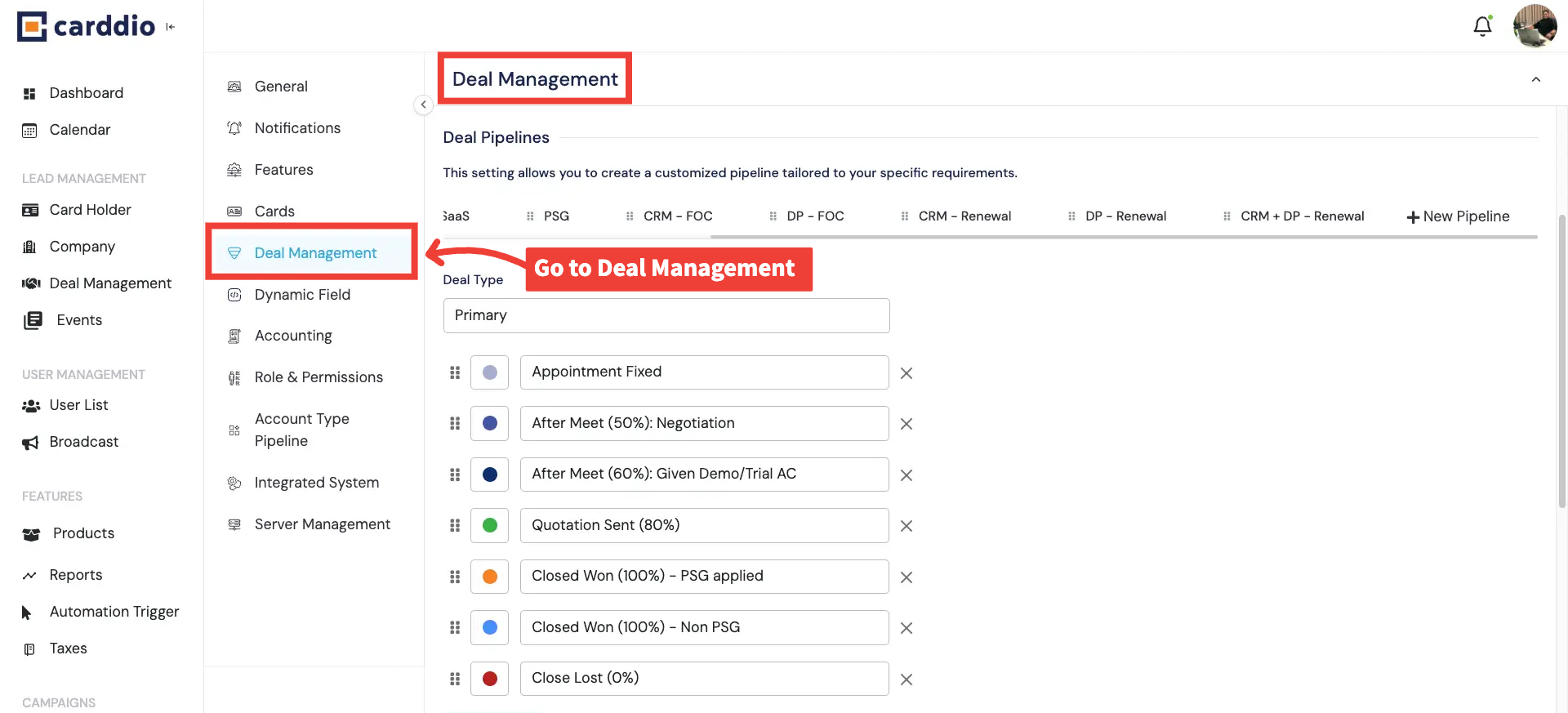
Redirect to Deal Management
Inside Settings, select Deal Management from the left-hand menu to open pipeline settings.
-
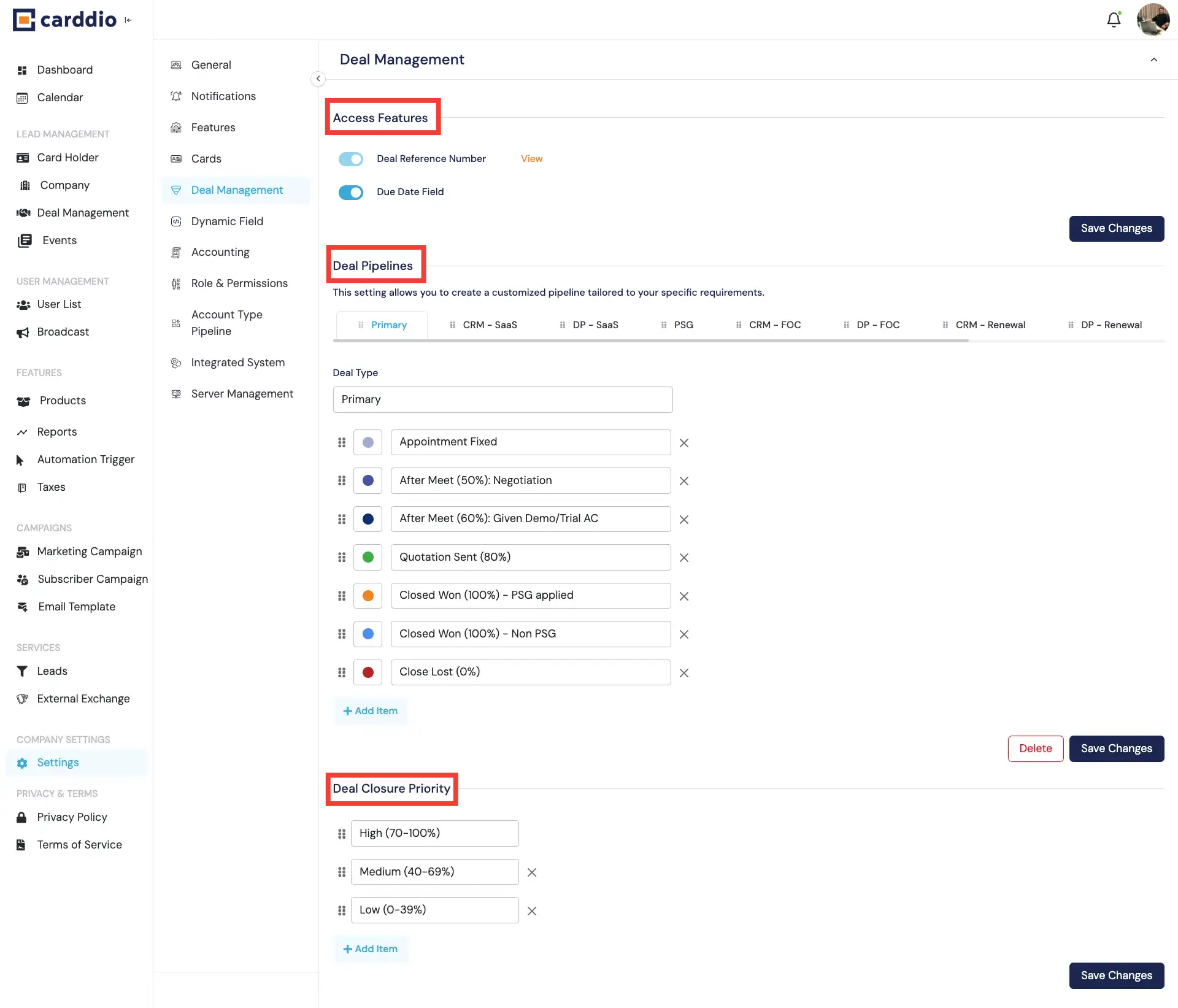
View Deal Management Index Page
This is the main Deal Management page where you can access Deal Pipelines, Access Features, and Deal Closure Priority settings.
-
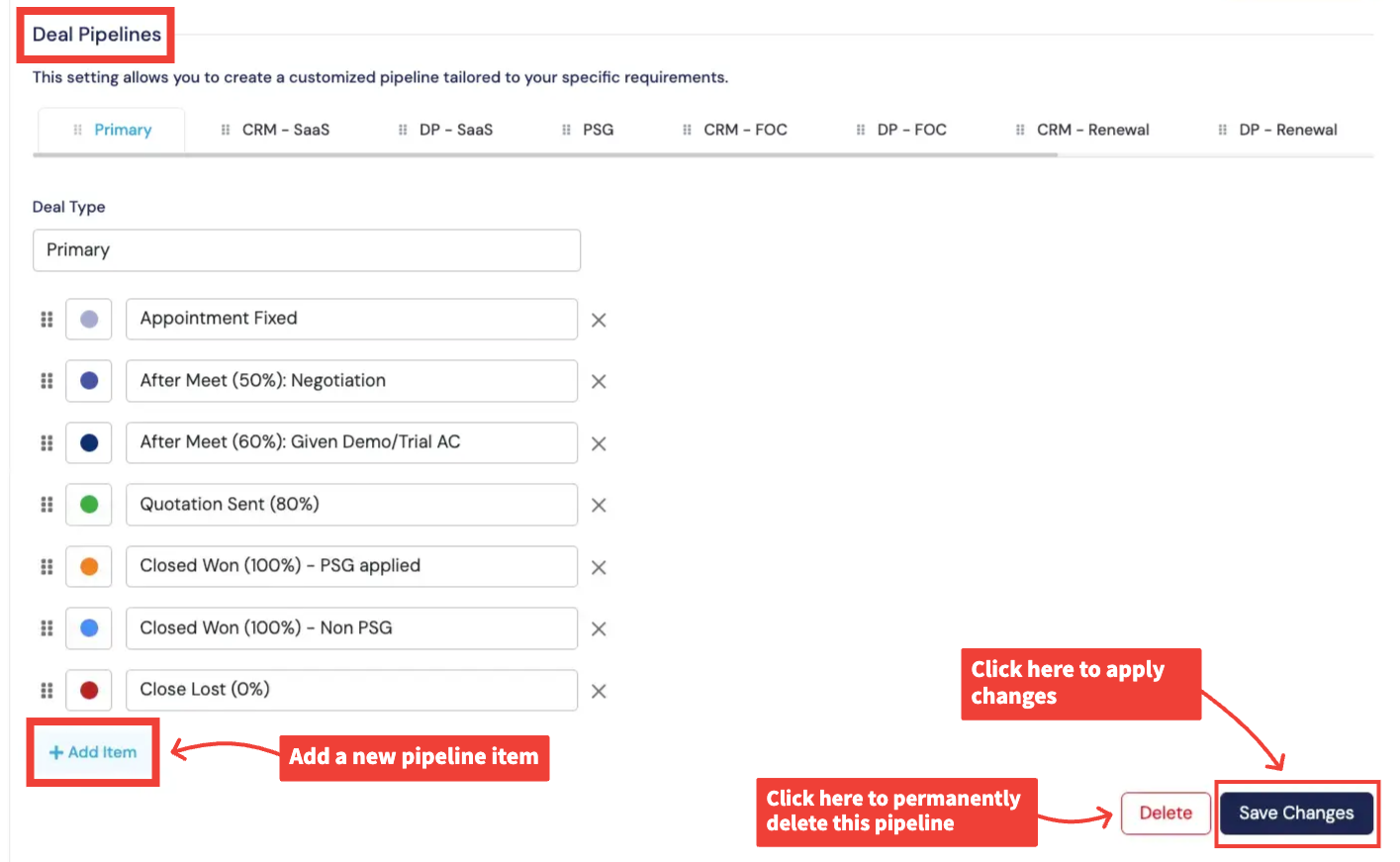
Update an Existing Deal Pipeline
Select an existing pipeline to update its stages. You can add new stages, reorder them, or remove stages as required.
Click Save Changes to apply updates.
-
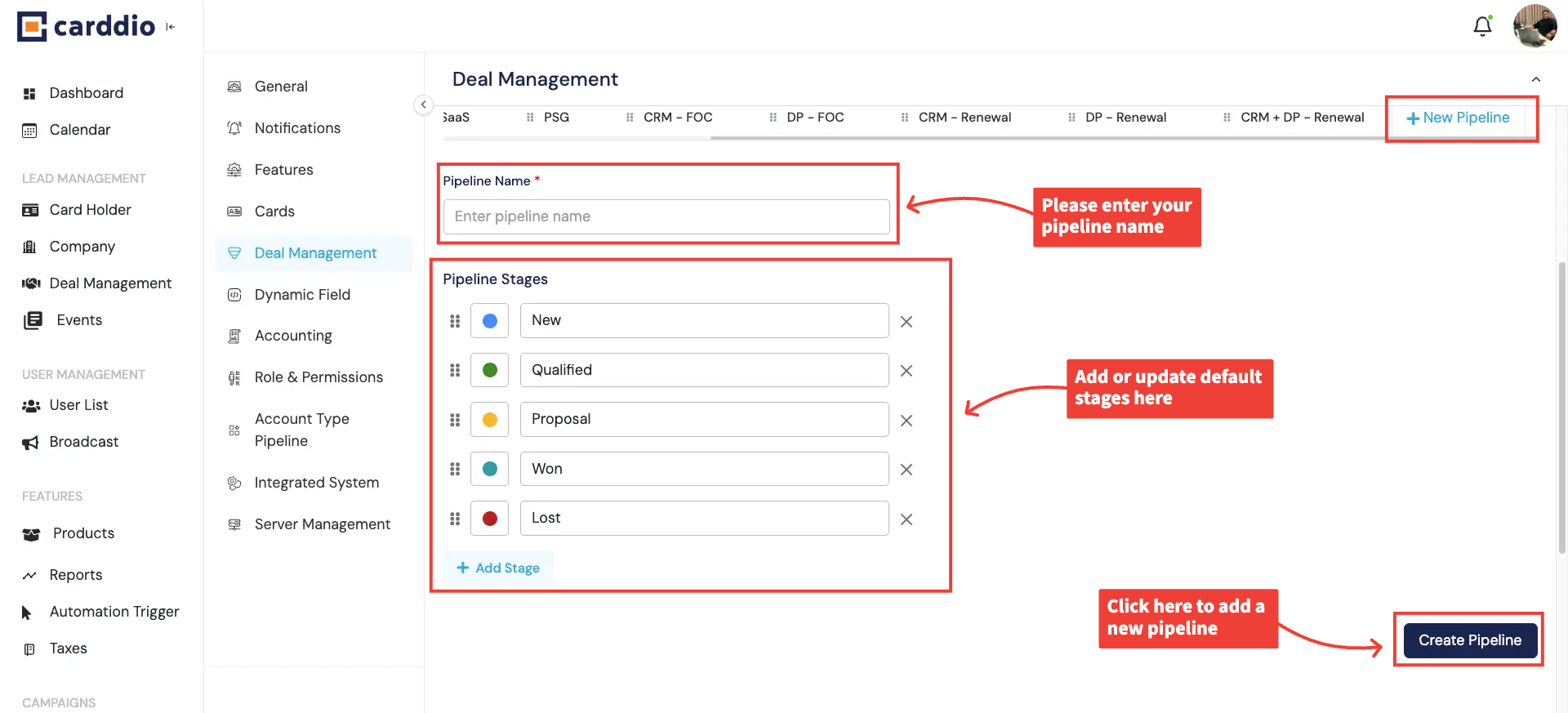
Create a New Deal Pipeline
Click + New Pipeline to create a new pipeline. Enter the pipeline name, define stages, and click
Create Pipeline to save it.
Success! Your deal pipelines have been updated and are ready to use.


